Focus stacking online
Merge a series of frames with different focus points into one fully sharp shot. For macro, jewelry and small product shots where depth of field falls short. Processed on the server; the result is kept for 24 hours, then deleted.
What focus stacking is
In close-up work (macro, jewelry, small products) depth of field becomes critically shallow: only a thin slice is in focus, while everything nearer and farther falls into blur. Even at a closed aperture the whole object does not come out sharp. Focus stacking solves this differently: you shoot a series of frames, shifting the focus point from the front edge to the back, and the program assembles one shot from them where everything stays sharp. For each area it takes the frame where that area was in focus. The result cannot be captured with a single click of the shutter.
How to shoot a series for stacking
- A tripod is strongly recommended: the frames must match in composition. Handheld is only acceptable for easy subjects; the program aligns small shifts but cannot pull back strong shake.
- The same exposure across the whole series: manual mode, fixed shutter speed, aperture and ISO. Auto exposure will cause brightness jumps between frames.
- Manual focus: shoot from the near point to the far one in small steps. The smaller the object and the closer the shot, the more frames you need (usually 3-10).
- Do not change zoom or distance between frames: the scale must stay the same.
- Release by timer or remote so you do not nudge the camera. Use continuous light, not flash, if its power can drift.
How to merge online
- Upload the series: drop or choose from 2 to 15 files of one scene.
- Check the order and remove extra or bad frames with the cross.
- Press "Merge". We align the frames and assemble one sharp shot.
- Review the result in the preview and download the finished file.
When stacking will not help
Stacking gathers sharpness from what was shot: if no frame caught a given area in focus, it will not become sharp. So a fine enough focus step matters, with no gaps between frames. Moving objects, drops and live insects give different geometry between frames, and artifacts are possible at the seams. Strongly different frame brightness leads to visible transitions, so keep the exposure constant. And remember: stacking is about depth of field, not about motion blur. If a frame is smeared by shake, it is better to leave it out of the series.
Frequently asked questions
How many frames do I need?
It depends on the scale. For a not-too-small object 3-6 frames are often enough; for true macro with strong magnification you may need 8-15. The main thing is that the focus step covers the whole object with no gaps. Here you can upload from 2 to 15 frames at a time.
Do I have to shoot on a tripod?
It is advisable. The program aligns small shifts between frames, so careful handheld work on a short subject will pass. But for a stable result, especially in macro, a tripod removes almost all alignment problems.
Is it suitable for jewelry?
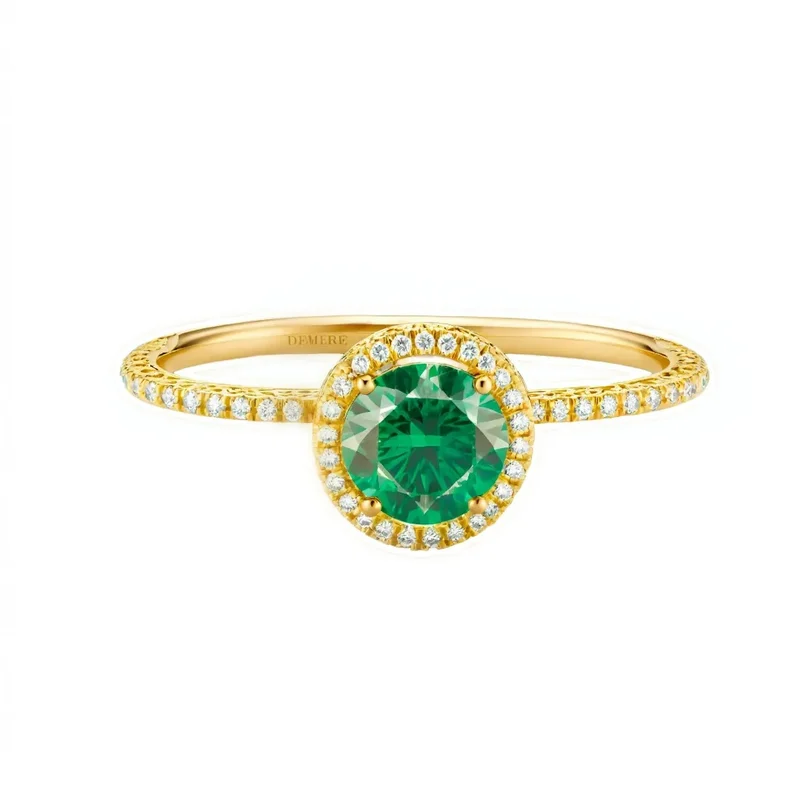
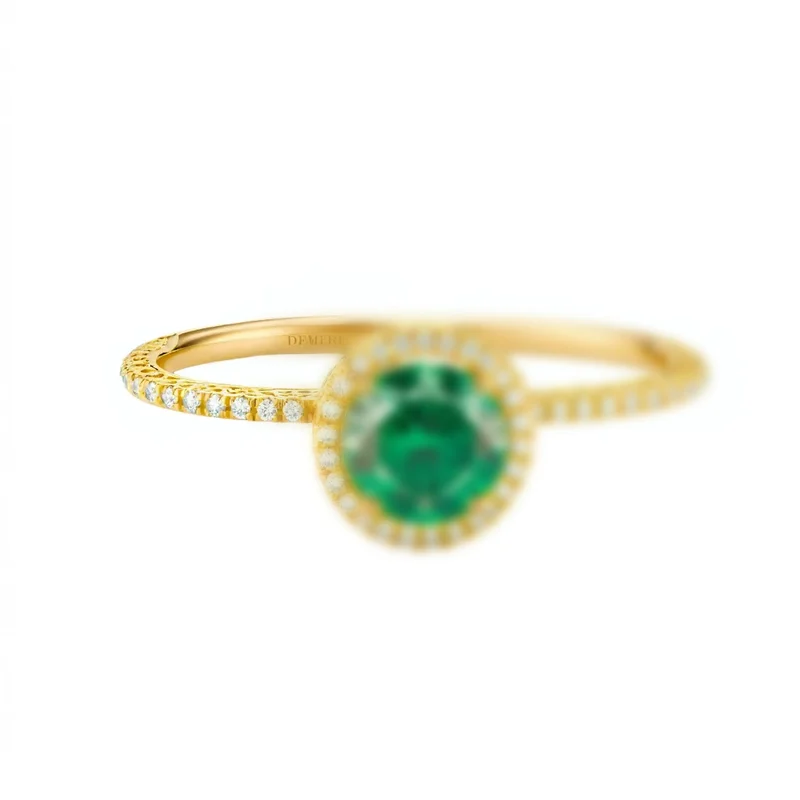
Yes, it is one of the main uses. Rings, earrings and chains have fine facets at different depths, and a single frame cannot make the whole piece sharp. Stacking gathers all facets in focus; stone and setting look crisp across the surface.
Are the frames stored anywhere?
The series is processed on the server. The merged result is kept for 24 hours so you can open it by link, then it is deleted.
How is this different from plain sharpening?
Sharpening emphasizes edges already captured within a single frame but does not add depth of field. Stacking physically extends the zone of focus by combining several frames. These are different tasks and are often used together.
How much does it cost and what is free?
Processing and viewing the result are free: you get a smaller preview with a watermark. No sign-up needed. The full-size file without a watermark is paid: $0.99 per photo. Cheaper with a pack: $0.18 per photo in a pack of 20. Limit: free runs have a daily limit. With a purchased pack there is no limit. See the “What is free and what is paid” block on this page for details.
See also
- Sharpen photo, a luminance touch-up of the merged frame, without color halos
- Remove background, a clean product cut-out before listing
- Upscale photo, raise the resolution of the sharp frame for print or a large listing
- Restore photo, if the source frames are noisy or soft
How to get the best result
- Shoot from a tripod and do not move the camera between frames. Small shifts are aligned automatically, but larger ones can leave ghosting along the edges.
- Change only the focus. Exposure, white balance, zoom and aperture must stay the same across the whole series.
- Keep the focus step small so the sharp zones of neighbouring frames overlap: a skipped zone leaves a blurred band that cannot be recovered.
- Upload frames of the same size and format, from one series. Extra or unrelated frames spoil the merge.
- Crop the edges after merging: there is always a narrow strip around the stack where not every frame overlapped.
If halos appear along the subject's outline, remove the nearest and the farthest frame from the series and merge again.
Before and after
Read also
- Focus Stacking in Photoshop: Tack-Sharp Product Photos
- How to Photograph Small Products and Jewelry: Macro and Focus Stacking
- Jewelry Photo Retouching: A Complete Guide to the Hardest Product Category
- How to Photograph a Ring: On Your Hand, in the Box and for Selling
- How to Photograph Jewelry for Marketplaces: A Complete Guide
- Sharpening in Photoshop: Make Your Photos Crisp