Jewelry photo retouching online
Clean metal, crisp edges and highlights on your jewelry photo. Gentle processing: the shape of the piece and its stones stay yours, only the sharpness and shine of the metal change. Processed on the server, the result is kept for up to 24 hours.
When jewelry retouching helps
Jewelry is hard to shoot: polished metal catches reflections, fine texture is lost to compression and resizing, and in a listing the piece often looks duller than it does in your hand. Retouching does not draw in details that are not there and does not change the piece: it brings out what was already captured, so metal reads as metal, edges are crisp and highlights are clean. For an online store this is the difference between a photo people scroll past and one they stop on.
What the tool does
Processing is gentle and predictable. The shape of the piece and its stones are held in place; the tool works over the captured frame: it cleans metal edges, removes the mush of soft borders, evens out highlights and brings out surface texture. It adds nothing and does not force a shine the piece does not have, so it suits plain wedding bands as well as chains, bracelets and pieces with matte inserts, enamel and pearls. This is retouching for cleanliness and sharpness, not a rebuild of the object.
How to retouch a jewelry photo
- Upload a photo: drop it into the window or choose a file. A cut-out piece on a light background works best.
- Press "Retouch the piece" and wait up to a minute, processing runs on the server.
- Review the result in the preview and download the finished file. A transparent background is kept if the original had one.
How to shoot jewelry for the best result
Retouching is only as strong as the source is clean. Shoot on a plain light background with soft diffused light, without hard shadows or colored reflections from the surroundings. Keep the piece in focus: the tool brings out texture that was captured, but it does not restore what is blurred. Cut the piece out from the background before processing, so transparency is kept in the result and the listing is ready right away. Process before the final resize for the platform, not after: a later downscale eats part of the sharpness again. If the metal turned gray from the white balance, fix the color first; retouching works with texture, not with white balance.
Frequently asked questions
Will the piece change? It is important that it stays my product
The shape of the piece and its stones are held in place. The tool works over the captured frame and brings out texture that was already there: edges, highlights, the surface of the metal. It does not draw a new piece and does not force a shine that is not there, so it stays your product, just cleaner and sharper.
Is it suitable for marketplace listings?
Yes, that is the main use. Clean metal and crisp edges noticeably lift a listing in search results and in the buyer's eyes. Process the piece after cutting out the background and before resizing to the platform dimensions, so the catalog stays consistent.
Will the transparent background be kept?
Yes. If you uploaded a cut-out photo with transparency (PNG or WebP with an alpha channel), the result comes back with a transparent background too. The background removal tool nearby helps with cutting the piece out.
Will it ruin matte stones, enamel and pearls?
No. The tool does not force a mirror shine, so matte inserts, enamel and pearls stay matte, just cleaner and sharper. This is gentle retouching, not added sparkle.
Are my photos stored anywhere?
The file is processed on the server and returned to you right away; the finished result is kept on the server for up to 24 hours. Before payment the original is kept only in your browser.
Can I process a whole catalog at once?
Here it is one piece per run, so you can see the result. For a series, run the frames one after another and the whole catalog comes out in a single style.
How much does it cost and what is free?
Processing and viewing the result are free: you get a smaller preview with a watermark. No sign-up needed. The full-size file without a watermark is paid: $0.99 per photo. Cheaper with a pack: $0.18 per photo in a pack of 20. Limit: free runs have a daily limit. With a purchased pack there is no limit. See the “What is free and what is paid” block on this page for details.
See also
- Remove background, a clean cut-out of the piece before retouching and listing
- Sharpen photo, when the whole frame needs sharpness, not only the metal
- Upscale photo, raise the resolution of a small shot before processing
- Compress photo, fit the finished file into the listing size limit
How to get the best result
- Shoot sharp and at full size: the model refines details but cannot rebuild the shape of a stone or an engraving that is not visible in the original.
- A plain background with no folds or objects around. Everything in the frame takes part in the processing: fingers, the stand, the fabric pattern.
- Soft diffused light instead of direct flash. Hard highlights on metal and blown-out stones are treated as part of the piece and kept.
- Crop so the jewellery fills most of the frame. A small object in the middle of an empty field is processed noticeably worse.
- One piece per photo. Process a set piece by piece, otherwise the model splits its attention between several objects.
For product cards keep one angle, background and light for the whole series, so the retouched photos look like a single set.
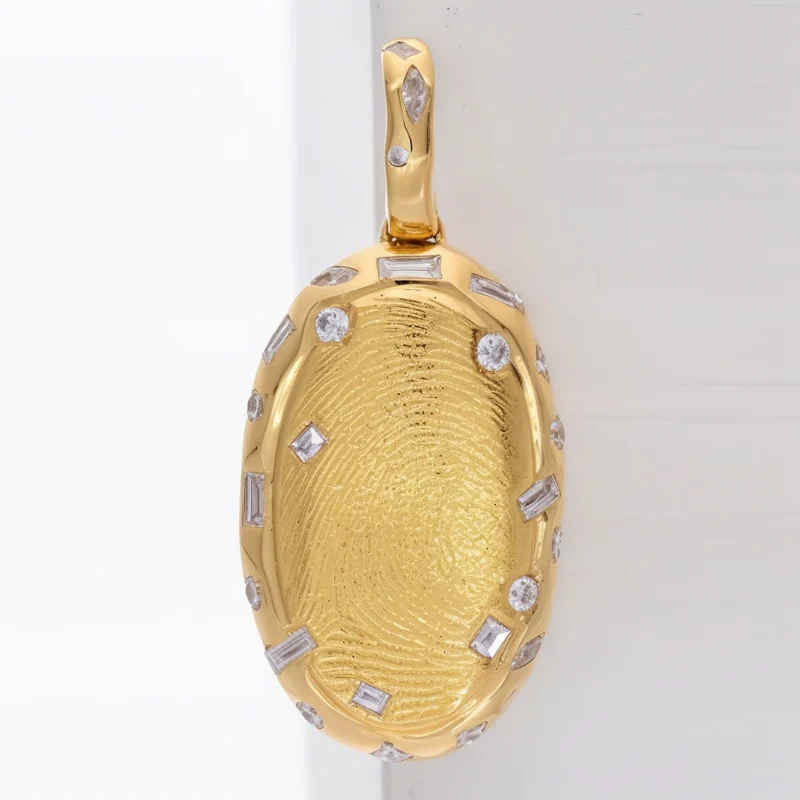
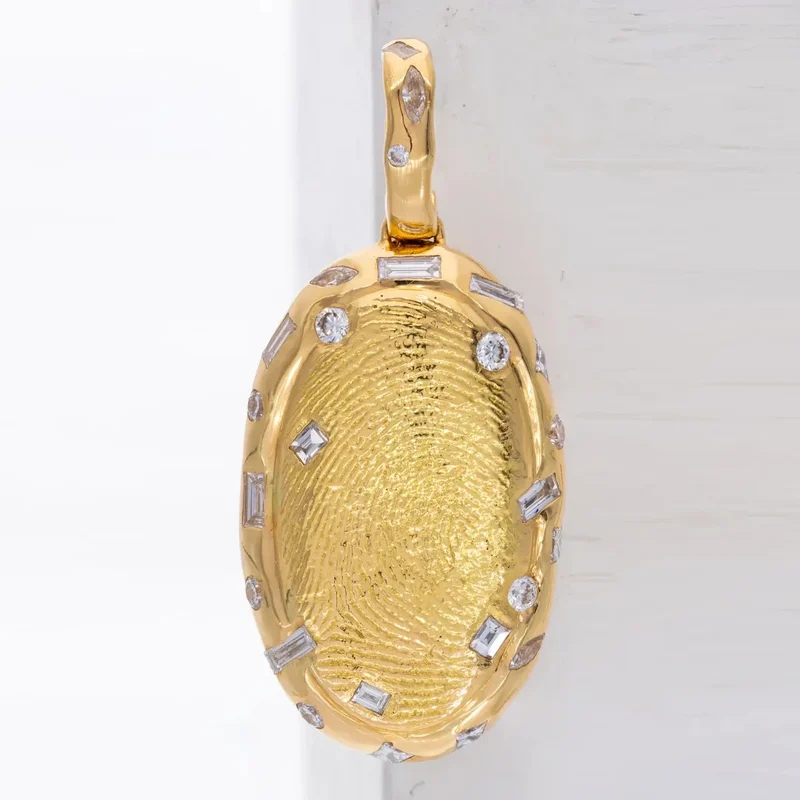
Before and after
Read also
- How to Photograph Jewelry with Your Phone at Home: Earrings, Chains, Costume Jewelry
- How to Photograph a Ring: On Your Hand, in the Box and for Selling
- Jewelry Photo Retouching: A Complete Guide to the Hardest Product Category
- How to Photograph Jewelry for Marketplaces: A Complete Guide
- How to Photograph Small Products and Jewelry: Macro and Focus Stacking
- How to Photograph Glass, Metal and Mirrors for Marketplaces
- Jewelry Photo Retouching: Zevira Case Study | gdefoto