Passport photo online
Upload an ordinary photo and we will fit it to the rules of the document you pick, then show exactly what was checked.
Our tool prepares the photo automatically in about a minute, and in most cases that is enough. If the document matters and you do not want to redo it, a person will finish and check your photo.
Make it automatically now →
- We check the frame size, head height and margins against the rules of your exact document: literally with a ruler, in millimetres.
- We remove every speck of dust, lint and stray fibre from clothing and background.
- We smooth out creases in clothing and straighten the collar.
- We level the head tilt and the shoulder line.
- We even out the light and remove shadows on the face and background.
- We check sharpness, file size and dimensions against the limits set by the authority.
- We prepare the file for submission and, if you need it, a sheet for printing.
A chat opens with a ready message: send it and attach your photo. We look at the picture first and tell you whether it is suitable.
Photo for a specific document
- Passport size photo (US 2x2 in, UK 35x45 mm)
- Visa photo (US, Schengen, UK)
- Driver's license photo
- Green card photo (I-485, I-765, 2x2 in)
- UK passport digital photo (online application)
- India visa photo (e-Visa and regular visa)
- OCI card photo (square, background not white)
- UK driving licence photo (DVLA, 45x35 mm print)
- ID photo requirements: background, lighting, glasses and passport photo rules
- ID photo maker online: how to make an ID picture with a website, app or studio
- How to Take a Passport Photo at Home With Your Phone: Step-by-Step Guide
How it works
- Pick the document. It sets the frame size, the margins and the maximum file weight.
- Upload an ordinary front-facing photo. A phone shot in even light is fine.
- We crop to the standard, even out the background and bring the weight within the limit.
- Read the report and download the file.
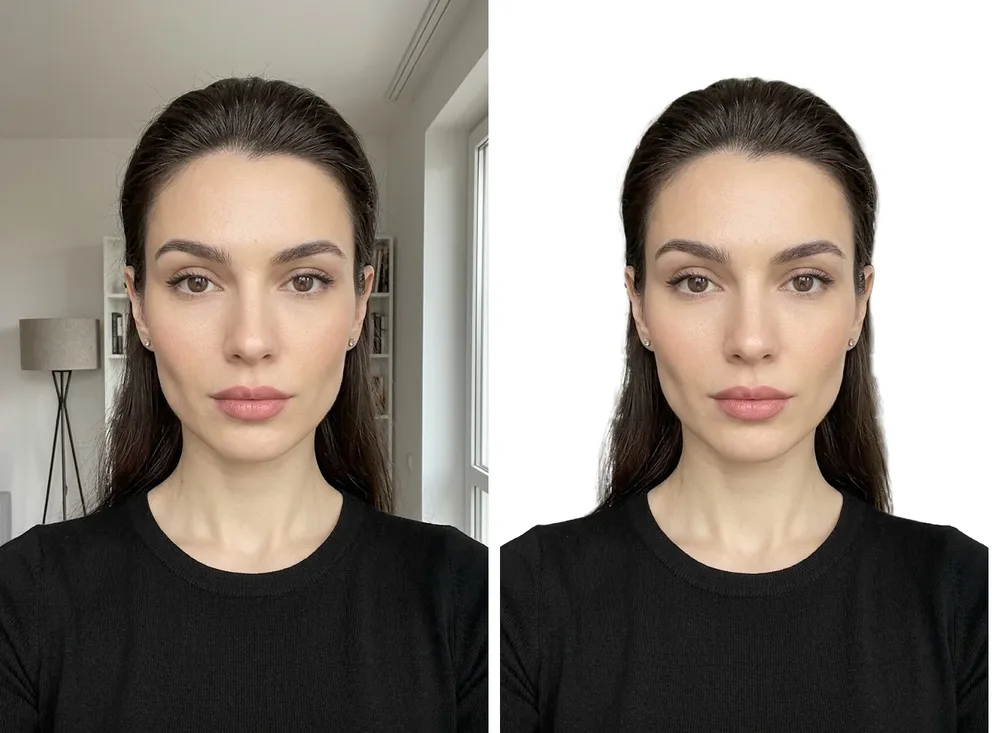
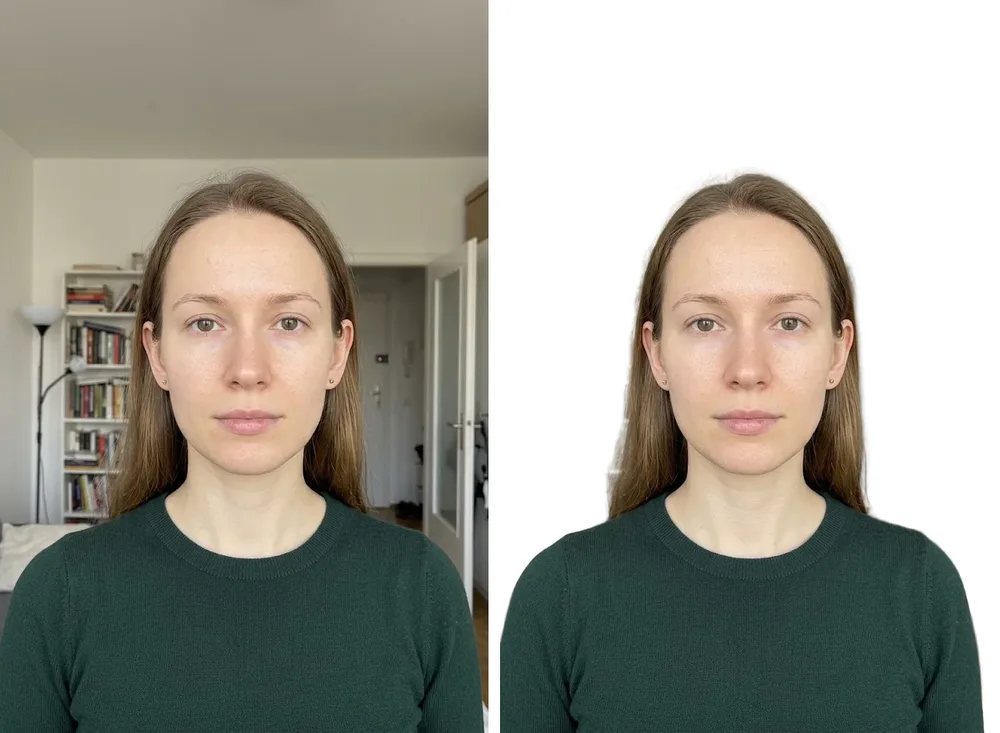
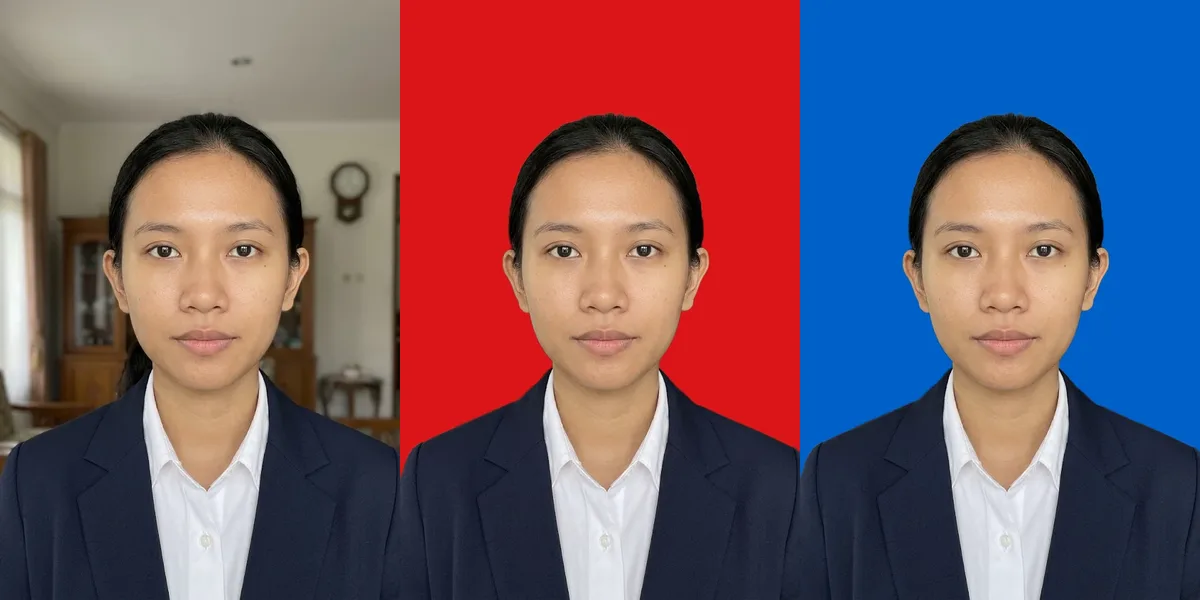
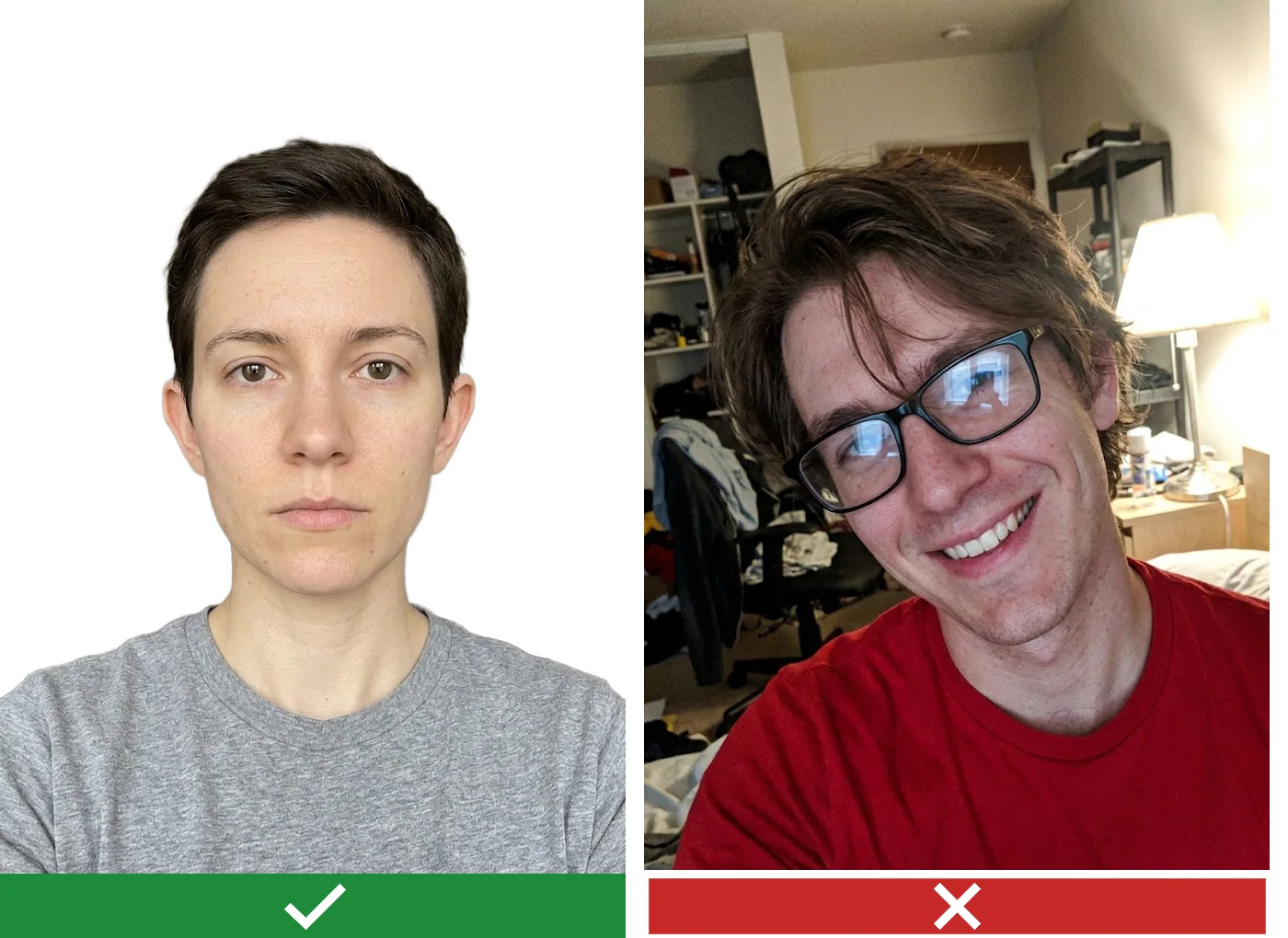
Passport photo and ID photo examples: before and after
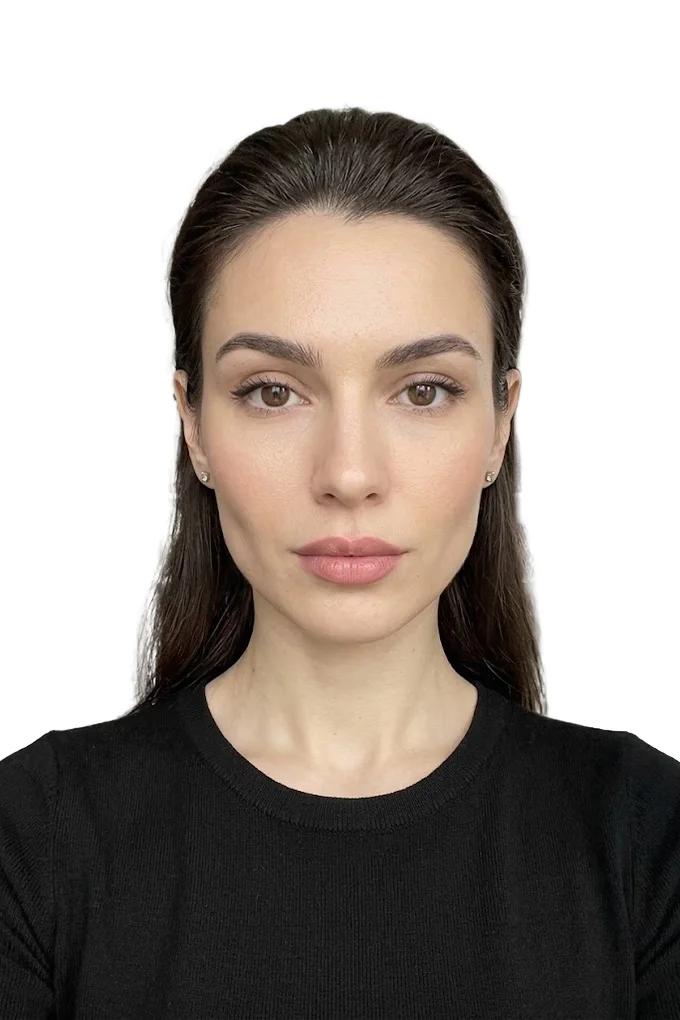
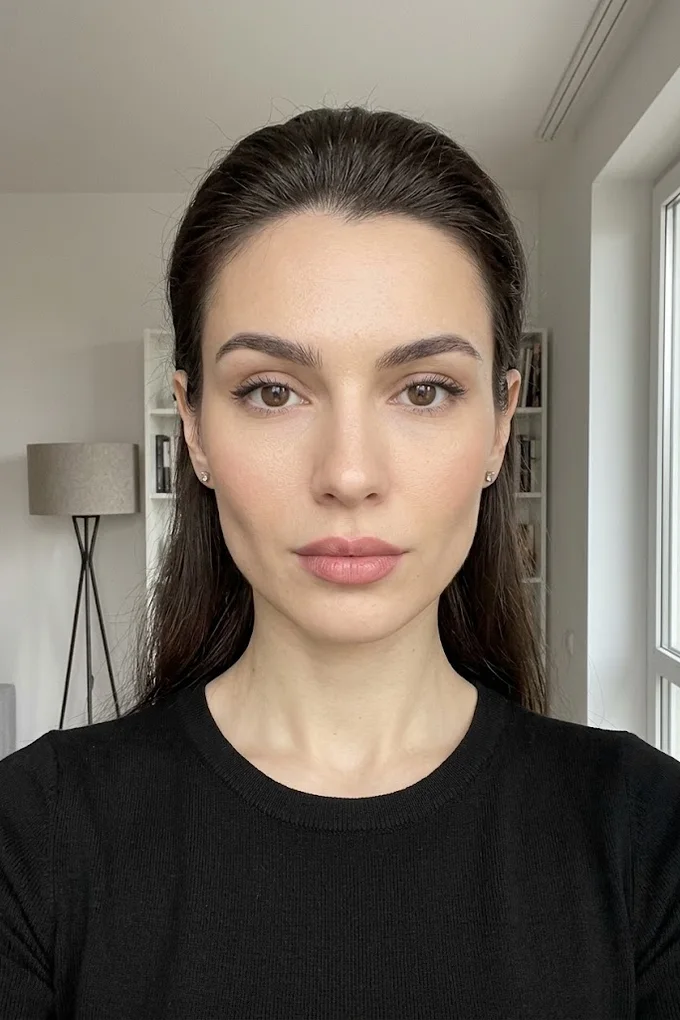
On the left is an ordinary phone picture taken at home, on the right is the same frame after the tool. Background, crop and file weight are fitted to the document you pick.
ID photo size and passport photo size: popular formats
The catalogue has 83 formats. These are the ones people ask for most. Pick the line in the tool and the file comes out in the right pixels and under the weight limit.
| Document | Size, mm (inches) | File, px | File weight |
|---|---|---|---|
| Schengen (any country) | 35×45 (1.4×1.8) | 600×800 | up to 480 KB |
| US visa (DS-160) / Green Card | 51×51 (2×2) | 600×600 | up to 240 KB |
| United Kingdom: passport (online application) | digital file | 900×1125 | 50 KB - 5 MB |
| United Kingdom | 35×45 (1.4×1.8) | 600×800 | up to 240 KB |
| India (eVISA) | 50×50 (2×2) | 900×900 | up to 1000 KB |
| China (CVASC) | 33×48 (1.3×1.9) | 420×560 | 40 - 120 KB |
| Canada (tourism / study) | 35×45 (1.4×1.8) | 600×800 | up to 480 KB |
| Canada PR | 50×70 (2×2.75) | 990×1380 | up to 4000 KB |
| Singapore (ICA eVisa) | 35×45 (1.4×1.8) | 400×514 | up to 1000 KB |
| Australia (eVisa subclass 600) | 35×45 (1.4×1.8) | 413×531 | up to 1000 KB |
| Netherlands: passport / ID card | 35×45 (1.4×1.8) | 630×810 | up to 1000 KB |
| Indonesia: pas foto 2×3, 3×4, 4×6 (red or blue) | 20×30, 30×40, 40×60 | 400×600, 600×800, 600×900 | up to 200 KB |
| Photo 3×4 cm (ID card, badge, student card) | 30×40 (1.2×1.6) | 600×800 | up to 500 KB |
Full ID photo size chart by country in mm, inches and pixels
ID photo requirements in short
- Face straight to the camera, head upright, neutral expression, mouth closed, eyes open.
- Even light on the face, no shadows on the face or on the background, no red eyes.
- Glasses: the US visa and the Indian eVisa want them off, most other countries allow them without glare.
- Nothing on the head except for religious or medical reasons, and the face stays fully visible.
- A recent picture: most countries ask for one taken in the last six months.
- The United States, the United Kingdom and the Netherlands do not accept a background changed by software. For these, shoot against a real plain wall and use the tool for crop, size and file weight.
ID photo requirements by country: background, glasses, head covering, photo age
Photo ID app or website: what you get here
There is nothing to install. The page works in the browser of a phone or a computer like a photo ID app: upload a picture or take one with the camera, choose the document, press the button.
Processing and the preview are free. The preview is reduced and carries a watermark, so you can see whether the result suits you before paying anything. The clean file in full size is a small paid step.
The tool accepts JPG, PNG, WebP, HEIC and AVIF up to 20 MB. No sign-up is needed.
Guides: sizes, requirements and how to shoot at home
- ID photo maker online, app or studio: where to make an ID photo
- ID photo size and passport photo size by country
- ID photo requirements: what every country checks
- How to take a passport photo at home with a phone
- Visa photo size and requirements by country
- Green Card lottery photo requirements and how to check the file
Common questions
Will a phone photo work?
Yes, if the whole face is visible from the front and the light is even. Do not shoot against a window and keep hair and glasses glare off the face.
Why do documents have different sizes?
The receiving side sets the rules. Schengen is 35x45 mm, a US visa is 51x51 mm, Canadian PR is 50x70 mm. We apply the standard of the document you selected.
What does the check report mean?
It is what the clerk looks at: whether the size and weight fit, how uniform the background is, how much of the frame the head takes. If something is borderline you see a warning before downloading.
How long is my photo kept?
The photo is sent to our server for processing. The finished result is kept for up to 24 hours so that you can download it after payment.
How much does it cost?
Processing and a watermarked preview are free. The clean file without a watermark is a small paid step. Print and delivery, if needed, are separate. To clarify, the full-size file without a watermark is paid: $0.99 per photo. Cheaper with a pack: $0.18 per photo in a pack of 20. See the “What is free and what is paid” block on this page for details.
Is this a free photo ID maker?
Processing and the preview are free, with no sign-up. You see the result first. The clean full-size file without the watermark is a small paid step. To clarify, the full-size file without a watermark is paid: $0.99 per photo. Cheaper with a pack: $0.18 per photo in a pack of 20. See the “What is free and what is paid” block on this page for details.
Can I use it as a photo ID app on my phone?
Yes. Open the page in the phone browser, take a picture with the camera or upload one, and choose the document. Nothing needs to be installed.
What ID photo size do I need?
It depends on the document: 35x45 mm for Schengen and most passports, 2x2 inches for a US visa and an Indian eVisa, 33x48 mm for China. Pick the document in the list and the size is set for you.
Which countries reject a photo with an edited background?
The United States, the United Kingdom and the Netherlands do not accept a background changed by software. For these, shoot against a real plain wall and use the tool for crop, size and file weight.
Before and after
Read also
- Green Card Photo Size: 2x2 Inches for Form I-485, the Visa Interview and a Work Permit
- ID photo maker online: how to make an ID picture with a website, app or studio
- ID photo size and passport photo size by country: mm, inches and pixels
- ID photo requirements: background, lighting, glasses and passport photo rules
- How to Take a Passport Photo at Home With Your Phone: Step-by-Step Guide
- Visa Photo Size and Requirements by Country: Schengen, US, China and More
- Driver's license photo online
- Green Card Lottery Photo Requirements: Size, Rules and How to Check Your DV Photo Before You Apply