How to blur faces in a photo before posting: faces, plates and text
How to blur faces in a photo before posting: faces, plates and text
Blurring faces: the short answer
Before you post a street photo, a school event or a picture of a car for sale, hide what other people should not see: faces of passers-by and children, a license plate, an address on a parcel, a name in a screenshot.
The widget below finds faces on its own and covers them right away. Anything else you mark with a rectangle or an oval. Choose blur, pixels or a black box and download the photo. The photo is processed in your browser and is not sent to our server.
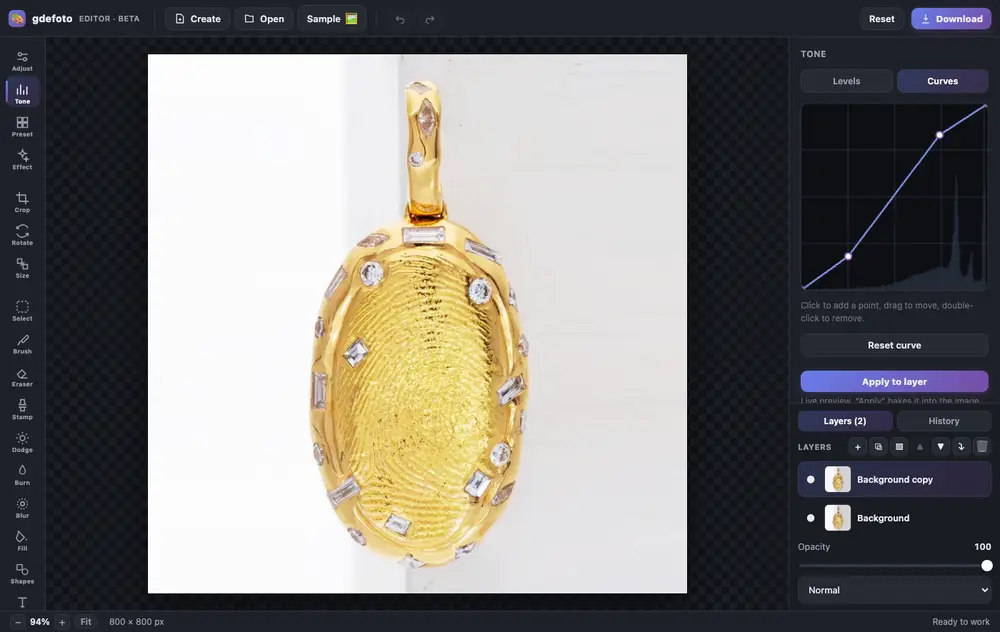
Crop, fix the light with curves, clean up with the clone stamp and add a caption. All in one tab, no install and no sign-up.
- Layers and masksBlend modes, opacity, masks painted with a brush or made from a selection.
- Light and colourLevels, curves, exposure, contrast, saturation and warmth.
- RetouchingClone stamp, dodge and burn, blur, brush and eraser. Crop, rotate and resize.
- AI built inColorize, restore, remove the background, upscale and sharpen: the result is added as a new layer.
- Text and shapesCaptions in the font you choose, rectangles and circles over the photo.
- In your browserNothing to install, no account. Full history with undo.
- Product photos: crop, brighten the background with levels, remove dust with the clone stamp.
- Old photos: restore with AI, colorize and add a caption.
- Social posts: a canvas from a size template, your shot and text on top.
Editing is free. Download is watermarked; remove the mark for $2.99.
When to hide a face or a detail
- Passers-by and crowds in travel and street photos.
- Children and guests at a school play, a party or a sports event, when not every parent agreed to have them online.
- Cars for sale and photos from a parking lot: the license plate.
- Screenshots and documents: names, phone numbers, addresses, a passport number or a card number.
Do not want to fiddle with it? Hand the photo to a retoucher
Automation does not fix everything: a difficult frame, a photo that matters, an old print off a scanner. Where the algorithm gives up, a person works the picture layer by layer in Photoshop, by hand.

 BeforeAfter⇆
- Bring back sharpness in the face and eyes
- Remove noise and artefacts without plasticising the skin
- Fix colour, contrast and a broken exposure
- Remove scratches, stains and creases from an old scan
- Return a file large enough to print
- Price per photo$10
- Turnaroundwithin 24 hours
- Deliveryto your email
- If we cannot do itmoney back
We will finish your photo by hand
A studio retoucher fixes what automation cannot: sharpness, face, colour, defects. Pay first, then simply send the photo and tell us what you need. If we cannot do it, you get your money back.
- Manual photo retouching$10
How to do it with the widget
- Upload a JPG, PNG or WebP photo up to 30 MB.
- Wait a couple of seconds: the faces that were found are covered with ovals. Tap an oval to uncover that face, tap again to cover it.
- Mark a plate, text or a missed face yourself: choose rectangle or oval and drag across the photo. Move an area by its middle, resize it by the blue dot, delete it with the red cross.
- Choose how to hide: blur, pixels or a black box. For blur and pixels set the strength with the slider. The method and strength apply to all areas at once.
- Press «Download photo». The file keeps the format and the pixel size of the original.
Blur, pixels or black box
- Blur looks soft and keeps attention on the picture. A light blur can leave a face recognisable, so turn the strength up for faces.
- Pixels give the familiar mosaic look of news photos and hide features well at a high strength.
- Black box is the most reliable cover for text and numbers: documents, card numbers, barcodes.
Only faces are found automatically. License plates, addresses and text are always marked by hand, so check the whole photo before you download it.
Frequently asked questions
Is my photo uploaded?
No. The photo is opened and processed in your browser. Our counter only records that a file was chosen, its size and type, without the file itself.
Does the saved photo keep the location and camera data?
No. The file is saved without EXIF, so the date, the camera model and the GPS position are not carried over.
What if a face was not found?
Mark it with an oval or a rectangle. If automatic search does not start in your browser, the widget tells you, and you mark the areas by hand.
Is there a watermark?
No. There is no watermark, no signup and no limit on photos.
To remove only the hidden data from a photo, without covering anything, use remove metadata.
We will edit a sample from your catalog for free
For online stores, manufacturers, brands and wholesale suppliers. Send 1-3 product photos and we will return them professionally edited, with a price quote for your whole catalog.
This is a b2b, volume format. We do not process personal photos (portraits, events, documents) here.
Request received
We will edit your sample and send the result with a catalog quote within one business day.