Product Photo for Marketplaces
We cut out your product, place it on a white studio background with a soft shadow and save it in a marketplace size. Your product stays yours: the original product from your photo goes on top, only the background around it changes
Product photo for marketplaces
Upload a product photo: we cut it out, place it on a white studio background with a soft shadow and save it in a marketplace size. The product itself is not redrawn.
What the tool does
- Separates the product from the background of your photo.
- Centers the product in the frame of the chosen size, with margins around it.
- Puts a clean white background and a soft shadow under the product.
- Puts the original product back on top by its mask: shape, color, label and text stay as in your photo.
- Returns a ready JPG of the right size.
Background
White studio
A clean white background and a soft shadow under the product, ready in a few seconds. Good for the main listing image.
Sizes
- 900×1200 px, 3:4 (Amazon).
- 1200×1600 px, 3:4 (Etsy).
- Square 1200×1200 px.
How to make the photo
- Pick a size.
- Upload a product photo: JPG, PNG or WebP up to 25 MB.
- Press "Make photo": the result is ready in a few seconds.
- Check the preview and download the file without a watermark for $2.99.
FAQ
Will the tool redraw my product?
No. Only the background and the shadow change. The original product from your photo is placed on top by its mask, so its shape, color, label and text do not change.
Is a white background right for the main image?
Most marketplaces expect a white background for the main image. Marketplace rules change, so check the requirements of your category before uploading.
What photo should I upload?
One whole product in the frame, sharp, on a plain background without other objects. The cleaner the outline in the source, the neater the cut-out.
How much does it cost?
The preview is free with a watermark. The file without a watermark costs $2.99.
What if the cut-out is not neat?
Upload a shot with the whole product on a plain background, or order a manual touch-up: a retoucher will fix the outline.
Can I process a whole catalog?
This tool handles one photo at a time. For a whole catalog in one style, contact the gdefoto studio below.
Which size should I pick for Amazon, Etsy or eBay?
Pick the square 1200×1200 px. Amazon, Etsy and eBay all show a square image well, and 1200 px is above the 1000 px on the longest side that Amazon asks for to enable zoom. Each platform has its own extra rules, so check them before uploading.
Can I use the photo for Shopify or my own store?
Yes. The result is a regular JPG with no restrictions on commercial use: upload it to your store, a catalog, ads or social posts.
Can I do this on my phone?
Yes. Open the page in the phone browser, take or pick a photo of the product and press Make photo. No app to install.
How many photos can I do for free?
You can try it free every day without signing in. Signing in with your email gives you more free runs. When the free runs are used up, the tool will offer to sign in or get a pack.
Where is my file after payment?
Right after payment you get a page with a download button. If you entered an email at checkout, the file is also sent by email. Save it within 24 hours: after that we delete the photos. If it does not download, message us in the chat and we will send it by hand.
How long does it take?
Usually from a few seconds to a minute. When many photos are being processed, yours waits in a queue and the tool retries on its own. Keep the page open meanwhile.
Amazon, Etsy and eBay: what to check before listing
The tool gives you a clean main image. Before you list it, check the rules of the platform where it goes.
- Amazon. The main image is the product alone on a pure white background, filling most of the frame, with no text, logos or props. Details: Amazon product photo requirements.
- Etsy. White is not required, but a clean first photo stands out in search results and thumbnails are cropped. See Etsy photo requirements.
- eBay. No borders, text or watermarks on the photo. See eBay photo requirements.
To check a finished image against the rules, upload it to the product image requirements checker. Need a transparent PNG instead of a white background: Remove background. A price tag or a sticker on the product: erase it first with Remove objects. More on the main image: the main product photo on Amazon and Etsy.
Need a whole catalog in one style, product retouching or a new shoot? send a request, and the studio will do it by hand.
Read also
Crop, fix the light with curves, clean up with the clone stamp and add a caption. All in one tab, no install and no sign-up.
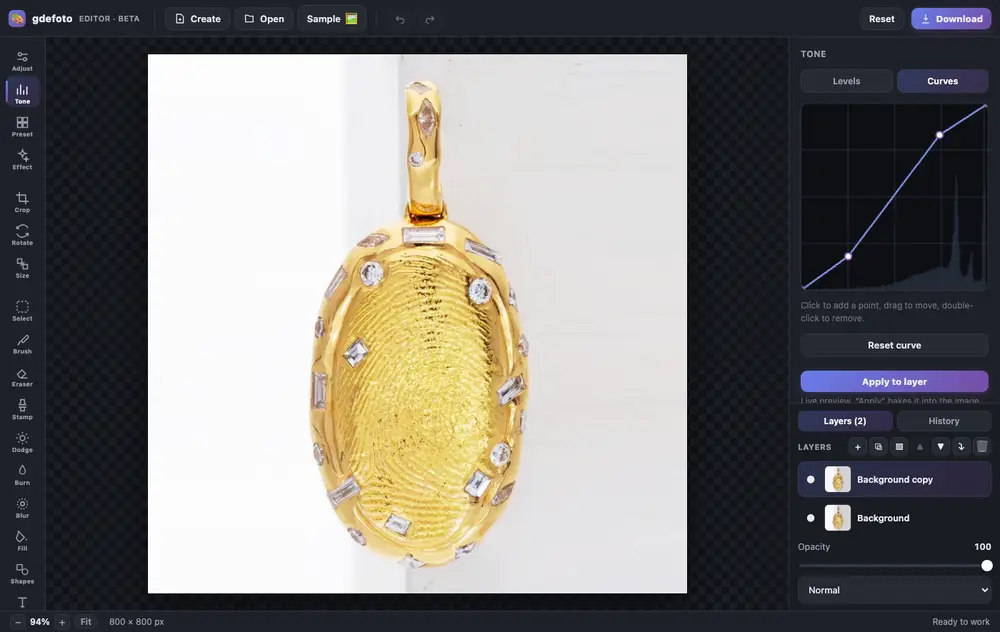
- Layers and masksBlend modes, opacity, masks painted with a brush or made from a selection.
- Light and colourLevels, curves, exposure, contrast, saturation and warmth.
- RetouchingClone stamp, dodge and burn, blur, brush and eraser. Crop, rotate and resize.
- AI built inColorize, restore, remove the background, upscale and sharpen: the result is added as a new layer.
- Text and shapesCaptions in the font you choose, rectangles and circles over the photo.
- In your browserNothing to install, no account. Full history with undo.
- Product photos: crop, brighten the background with levels, remove dust with the clone stamp.
- Old photos: restore with AI, colorize and add a caption.
- Social posts: a canvas from a size template, your shot and text on top.
Editing is free. Download is watermarked; remove the mark for $2.99.