Canadian passport and PR card photo: size, rules and who has to take it
Canadian passport and PR card photo: size, rules and who has to take it
Canadian passport and PR card photos: the short answer
Both the Canadian passport and the permanent resident (PR) card use the same printed format: 50 mm wide by 70 mm high, head 31 to 36 mm from chin to crown. For both, the Government of Canada says to have the photo taken by a commercial photographer or studio, and the photo must not be altered in any way. A phone photo is not accepted for these two documents.
A photo you take yourself does fit a Canadian visitor visa or study permit application on paper: the frame must be at least 35×45 mm and no photographer is required. The widget below is set to that format.
Our tool prepares the photo automatically in about a minute, and in most cases that is enough. If the document matters and you do not want to redo it, a person will finish and check your photo.
- We check the frame size, head height and margins against the rules of your exact document: literally with a ruler, in millimetres.
- We remove every speck of dust, lint and stray fibre from clothing and background.
- We smooth out creases in clothing and straighten the collar.
A chat opens with a ready message: send it and attach your photo. We look at the picture first and tell you whether it is suitable.
Is a quick version enough? The tool makes the photo on its own in a minute →Passport photo requirements
- Size: 50 mm wide by 70 mm high (2 × 2 3/4 inches), two identical prints.
- Head: 31 to 36 mm (1 1/4 to 1 7/16 inches) from chin to crown.
- Background: plain white or light-coloured.
- Age: taken within the last 6 months.
- Who: a commercial photographer or studio, printed professionally.
- Editing: any change to colour, contrast or cropping, filters or AI leads to refusal.
- Glasses: allowed if the eyes are clearly visible and there is no glare; no tinted lenses or sunglasses.
Online renewal
For an online renewal the file must be a JPEG straight from the camera (not a scan), 3:2 portrait, 1200×1800 to 3000×4500 pixels, 200 KB to 5 MB, and it also has to come from a commercial photographer.
Do not want to fiddle with it? Hand the photo to a retoucher
Automation does not fix everything: a difficult frame, a photo that matters, an old print off a scanner. Where the algorithm gives up, a person works the picture layer by layer in Photoshop, by hand.

 BeforeAfter⇆
- Bring back sharpness in the face and eyes
- Remove noise and artefacts without plasticising the skin
- Fix colour, contrast and a broken exposure
- Remove scratches, stains and creases from an old scan
- Return a file large enough to print
- Price per photo$10
- Turnaroundwithin 24 hours
- Deliveryto your email
- If we cannot do itmoney back
We will finish your photo by hand
A studio retoucher fixes what automation cannot: sharpness, face, colour, defects. Pay first, then simply send the photo and tell us what you need. If we cannot do it, you get your money back.
- Manual photo retouching$10
PR card photo requirements
- Paper: 50×70 mm, head 31 to 36 mm, two identical prints on photo paper.
- Online: JPEG, 715×1000 to 2000×2800 pixels, 4 MB or less.
- Background: plain white, no texture, no shadows.
- Age: taken no more than 12 months before you apply.
- Who: a commercial photographer or studio.
- Editing: the photo must be unaltered: no changes to colour, brightness, contrast, sharpness, cropping or background.
Frequently asked questions
Can I use one photo for the passport and the PR card?
The size and head rules match, but the passport needs a photo under 6 months old and the PR card one under 12 months. A fresh studio photo works for both.
Can I take a Canadian visa photo at home?
Yes, for the paper visitor visa application the page lists only the photo rules: frame at least 35×45 mm, head 31 to 36 mm, white or light background, taken in the last 6 months, printed on quality photo paper. IRCC also says digital photos must not be altered, so take the shot against a plain white wall in even light.
What does the widget above do?
It crops your photo to the Canada visa format, checks the head position and gives you a print-ready file. It is not meant for the passport or the PR card.
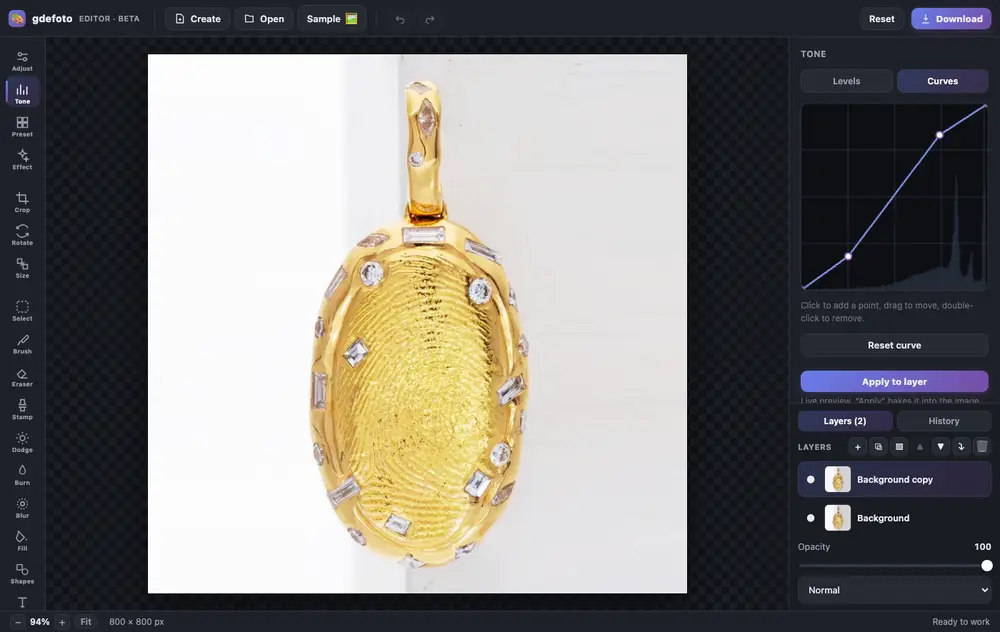
Crop, fix the light with curves, clean up with the clone stamp and add a caption. All in one tab, no install and no sign-up.
- Layers and masksBlend modes, opacity, masks painted with a brush or made from a selection.
- Light and colourLevels, curves, exposure, contrast, saturation and warmth.
- RetouchingClone stamp, dodge and burn, blur, brush and eraser. Crop, rotate and resize.
- AI built inColorize, restore, remove the background, upscale and sharpen: the result is added as a new layer.
- Text and shapesCaptions in the font you choose, rectangles and circles over the photo.
- In your browserNothing to install, no account. Full history with undo.
- Product photos: crop, brighten the background with levels, remove dust with the clone stamp.
- Old photos: restore with AI, colorize and add a caption.
- Social posts: a canvas from a size template, your shot and text on top.
Editing is free. Download is watermarked; remove the mark for $2.99.
Other photo guides
Sizes for other countries: ID photo size and passport photo size by country. Visa photos: visa photo size and requirements by country.
We will edit a sample from your catalog for free
For online stores, manufacturers, brands and wholesale suppliers. Send 1-3 product photos and we will return them professionally edited, with a price quote for your whole catalog.
This is a b2b, volume format. We do not process personal photos (portraits, events, documents) here.
Request received
We will edit your sample and send the result with a catalog quote within one business day.