Green Card Lottery Photo Requirements: Size, Rules and How to Check Your DV Photo Before You Apply
Green Card Lottery Photo Requirements: Size, Rules and How to Check Your DV Photo Before You Apply
Green card photo requirements: size, head, background, file
A green card photo for the DV Lottery is a square colour JPEG file that measures 600x600 pixels and weighs no more than 240 KB. The head, from the top of the hair to the chin, takes up 50 to 69 percent of the image height, the background is white or off-white, glasses are off, and the picture was taken no more than six months before you apply. That is what the program instructions and the US Department of State visa photo requirements say.
Below, each requirement is covered on its own: what it means in practice, where people slip up most often and how to check the picture before you send it. Checking has to happen before, not after: only one entry per person is accepted during a registration period, and a second one with a corrected photo disqualifies both, according to the instructions.
Photo size in pixels and in inches
For the electronic entry the size is set in pixels: 600 by 600, a square, with the height equal to the width. Here the lottery is stricter than ordinary visa forms: the general digital photo requirements allow a square anywhere from 600 to 1200 pixels, while the DV entry names a single figure. A rectangular picture straight from your phone will have to be cropped.
Inches and millimetres come up in two situations. The first: you are scanning a finished paper print. It has to be 2 by 2 inches, which is 51 by 51 millimetres or 5.1 by 5.1 centimetres, and it has to be scanned at a resolution of 300 pixels per inch (12 pixels per millimetre). At that resolution the print turns into exactly a 600 by 600 square. The second situation: you have been selected. Every applicant brings two identical paper photos of the same size, 51 by 51 millimetres, to the interview.
Enlarging a small picture up to 600 pixels is a bad idea. A messenger avatar or a face cut out of a group shot turns blurry once it is stretched, and the requirements mention sharpness directly: the photo has to be in focus. Start with a full-size frame from the camera and scale it down, not the other way round.
Head size and eye position
This requirement is broken more often than any other, because you cannot judge it by eye. The head is measured from its highest point, hair included, to the bottom of the chin. That height has to be between 50 and 69 percent of the height of the image. In a 600 by 600 frame that means 300 to 414 pixels.
The second measurement is eye height. The eye line has to sit between 56 and 69 percent of the image height, counting from the bottom edge. In pixels that is 336 to 414 from the bottom of the picture. The head is also centred in the frame horizontally.
On a 51 by 51 millimetre paper print the same proportions look like this: the head is between 1 inch and 1 3/8 inches, and the eyes are 28 to 35 millimetres above the bottom edge. The Department of State itself rounds the lower limit for the head in millimetres differently on different pages, to 22 or 25 millimetres. An inch equals 25.4 millimetres, so aim for 25-35 millimetres: that matches both the inches and the percentages.
- The head is too small: the chest and elbows are in the frame. This happens when you simply crop a full-length picture down to a square. Full-length pictures are listed among the unacceptable ones in the requirements.
- The head is too large: the top of the head or the hairstyle is cut off, and the chin presses against the bottom edge.
- The eyes are too low: there is a lot of empty background above the head and the shoulders are barely visible.
Background: white or off-white
The requirement reads: a plain white or off-white background. No pattern, no wallpaper, no door frames, no radiator in the corner. The blue and grey backgrounds you may know from other documents are not accepted here.
Apart from the colour, cleanliness matters. A shadow on the wall behind you appears when you stand right against the wall and the light comes from one side. A step forward from the wall and window light falling straight onto your face usually remove both that shadow and the harsh shadows on the face.
Glasses: none at all
The lottery instructions have one line about glasses: do not wear them. The general visa photo requirements page adds that the rule has been in force since November 1, 2016, and that there is a single, rare exception: the glasses cannot be removed for medical reasons, for example after recent eye surgery, and this is confirmed by a signed statement from a doctor.
Ordinary prescription glasses, even with a thin frame and no glare, do not fall under the exception. Sunglasses and glasses with tinted lenses are not allowed in visa photos at all. This is the main difference from the document photo rules of many other countries, where people who wear glasses all the time are often allowed or even advised to keep them on. For a US application everyone takes their glasses off.
Head coverings, headphones, clothing
A head covering that hides the hair or the hairline is acceptable only when it is worn daily for religious reasons. Even then the whole face has to be visible, and the covering must not cast a shadow on it. Take off caps, hats and hoods.
Headphones and wireless hands-free devices are not acceptable in the picture. A hearing aid can stay if you wear it all the time. Wear ordinary, everyday clothes. A uniform will not do, and the Department of State's answers to frequently asked questions put clothing that looks like a uniform and camouflage in the same category. The exception is the same: religious clothing that is worn every day.
How recent: six months and your current appearance
The picture has to be taken within the last six months and reflect the way you look now. The time limit alone is not enough: if your appearance has changed noticeably, the consulate will ask for a new photo even when the picture is less than half a year old. The Department of State lists such cases: major facial surgery or trauma, large or numerous facial piercings and tattoos that have been added or removed, significant weight loss or gain.
Growing a beard or dyeing your hair, according to the same guidance, is usually not considered a significant change: what matters is that you can still be recognised from the picture.
The time limit is tied to a rule that many people do not know about: you may not submit the same photograph that was in last year's entry. The instructions say that doing so makes you ineligible for a visa. If you enter every year, you take a new picture every year.
File format, size in KB, colour and compression
The file has to be in JPEG format with a jpg extension, in colour and no heavier than 240 KB. Pictures in PNG, HEIC from an iPhone or WebP have to be saved again as JPEG first. Black and white photographs are not accepted.
The general digital image requirements contain two more technical lines. Colour: 24 bits per pixel in the sRGB colour space, which is the normal mode of any camera or phone. Compression: to fit into 240 KB the file may be compressed, but not beyond a ratio of 20 to 1. An uncompressed 600 by 600 frame takes about 1080 KB, so the finished file should not be lighter than roughly 54 KB. The conclusion is simple: do not push the quality down to the limit, aim for the range from 60 to 240 KB.
| Parameter | DV Lottery requirement |
|---|---|
| Dimensions | 600x600 pixels, square |
| Format and colour | JPEG (jpg), colour, 24-bit, sRGB |
| File size | no more than 240 KB, compression no stronger than 20:1 |
| Head | 50-69% of the image height (300-414 pixels) |
| Eyes | 56-69% of the height from the bottom edge (336-414 pixels) |
| Background | plain white or off-white |
| Glasses | not allowed |
| How recent | no older than 6 months, not the picture from last year's entry |
| Scan of a paper photo | 51x51 mm print, 300 pixels per inch |
| Paper photo for the interview | 2 identical prints, 51x51 mm, on photo paper |
The requirements are sometimes updated, so before you apply open the current program instructions on the Department of State website and compare the figures with them. The table above is there so that you know exactly what to compare.
Why DV Lottery entries get disqualified because of the photo
The program instructions say it plainly: if the photos of the entrant and family members do not fully meet the requirements or have been altered, the person may become ineligible for a visa. And submitting the same photograph as in last year's entry is stated without any reservations: it makes you ineligible. Below are the reasons a picture most often turns out to be unusable.
How and when the photos are checked
Many people think the photo will only be looked at during the interview. That is not the case. In the explanatory notes to the program rules published in the US Federal Register, the Department of State writes that even before the winners are selected it screens entries for duplicates and for photographs that do not meet the standards. The same text mentions that facial recognition is used to detect identity fraud, and the instructions speak of "sophisticated technology" for finding multiple entries.
The practical conclusion: an unusable picture can take your entry out of the draw, and you will never find out. The form will issue a confirmation number, and according to the instructions the only source of results is the status check page on the program website: the Department of State does not send letters or emails either to those who were selected or to those who were not.
A second check awaits those who win: the consular officer compares the person with the photographs from the entry and from the visa case. The final decision on whether a photo is acceptable is made by a Department of State employee.
Last year's photo or simply an old one
This is the most common reason. Someone is entering for the second or third time, last year's file is still sitting in a folder, it has the right dimensions, and it is tempting to upload it again. You must not do that, even if the picture is formally not yet six months old.
The same goes for any picture older than half a year that you have never sent to the lottery before. A passport photo from three years ago, a shot from a wedding, a portrait from your company website are all ruled out by age, even when everything else about them is perfect.
Retouching, filters and AI
The Department of State's wording is short: the photo must not be digitally enhanced or altered in a way that changes your appearance in any way. The lottery instructions add that the picture must not be manipulated "in any way". This covers skin smoothing, removing moles and scars, reshaping the face, changing eye colour or hairstyle, and filters that make you look younger.
AI tools are not named separately in these texts, but the rule covers them completely. A portrait that a neural network generated from your selfies is not your photograph, it is an image that resembles you. Apps that dress you in a suit or draw in missing shoulders also change the person in the frame. Such images are not suitable for the entry at all.
What is acceptable is anything that does not change your appearance: cropping the frame to a square, rotating it, bringing the size to 600 by 600, saving it as a JPEG of the right weight. The Department of State itself offers a free tool that does exactly this, with a caveat: it only crops, does not check the quality of the picture and does not guarantee that the photo will be accepted.
The line is easy to draw. If after processing the picture shows the same person, with the same skin, the same features and the same clothes, and only the frame has become square, you are within the rules. If you are not sure whether something counts as an alteration, assume that it does and take the picture again.
Glasses, shadows and facial expression
Glasses remain one of the most common mistakes: a person has worn them for every document photo so far and has no idea that the rule for US visas is different. Take your glasses off, even if you hardly recognise yourself in pictures without them.
The facial expression has to be neutral, with both eyes open and looking straight at the camera. The Department of State's answers to frequently asked questions state separately that pictures in profile, out of focus, with an unusual expression or with squinting are not accepted. Hair, shadows and glare are named among the examples of things that obscure the face.
Shadows usually come from a ceiling lamp and from a phone flash fired at close range. The first draws dark hollows under the eyes and nose, the second gives a hard shadow on the wall and shiny spots on the forehead. Daylight from a window is softer and more even. A warm bulb also turns the face yellow and a white wall cream, so shoot in the daytime and switch off the room lights.
Group shots and someone else's hands in the frame
In the entry every person has their own photograph: the entrant, the spouse, each child. There must be one person in the picture.
With children this rule gets broken unintentionally. According to the Department of State's guidance, nothing that supports the child may appear in the frame, including a parent's hands. It is better to retake such a picture than to paint over the extra parts in an editor: painting over is exactly what altering a photo means.
Family members left off the entry
This mistake is not about the picture itself, but it surfaces in the same place: if a person is missing from the form, their photograph is missing too. According to the instructions, the entry must include your spouse and all living children who are unmarried and under 21: natural children, adopted children and stepchildren. They are included even if they live apart from you and do not intend to move.
- A spouse is listed even when you live apart or are planning a divorce. The exception: a legal separation formalised by a court order.
- A spouse or child who already holds US citizenship or lawful permanent resident status does not have to be listed, and no photograph is needed for them. If you do add them, there is no penalty for that.
- Parents, brothers and sisters are not included in the entry.
Leaving out a person who was supposed to be listed can, according to the instructions, make both the entrant and the entire family ineligible for a visa.
Scan of an ID, photo booth picture, full-length shot
You cannot photograph the data page of your passport and cut the portrait out of it. The Department of State states separately that pictures copied or digitally scanned from driver's licences and other official documents are not accepted. The same list of unacceptable images includes snapshots, magazine photos, low quality vending machine and mobile phone photos, and full-length photographs.
The words "low quality" matter here. Taking the picture yourself, with a phone, is not forbidden: the Department of State recommends using a professional visa photo service, but writes directly that you may take the photo yourself. What will not pass is a blurry, dark or grainy frame, whatever it was shot with.
You may scan an ordinary 51 by 51 millimetre paper photograph taken no more than six months ago. The instructions allow you to ask another person to do it: let them scan the print and send you the file. The main thing is to have the file on hand at the moment you fill in the form, because the photo cannot be submitted separately from the entry.
Technical slips: wrong dimensions, wrong file size
A file that is heavier than 240 KB, not square or not a JPEG does not meet the requirements of the form. This is actually the harmless kind of mistake: you can see it immediately in the file properties, and it takes a minute to fix. How to make a file lighter without turning the face into a mosaic is explained in the article on how to reduce photo file size without losing quality.
The more dangerous mistakes are the ones the file properties do not show: a head of the wrong size, a grey background, glasses, last year's frame. The file will upload, the entry will receive a confirmation number, and the mismatch will surface later. A successful upload does not mean that everything is fine with the photograph.
Do not want to fiddle with it? Hand the photo to a retoucher
Automation does not fix everything: a difficult frame, a photo that matters, an old print off a scanner. Where the algorithm gives up, a person works the picture layer by layer in Photoshop, by hand.
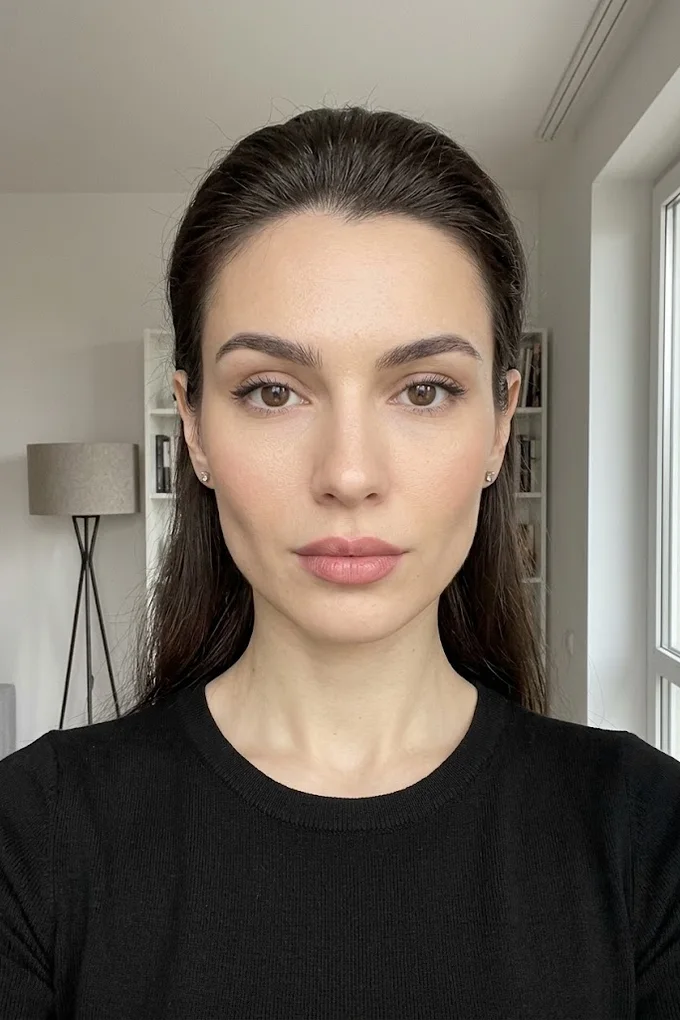
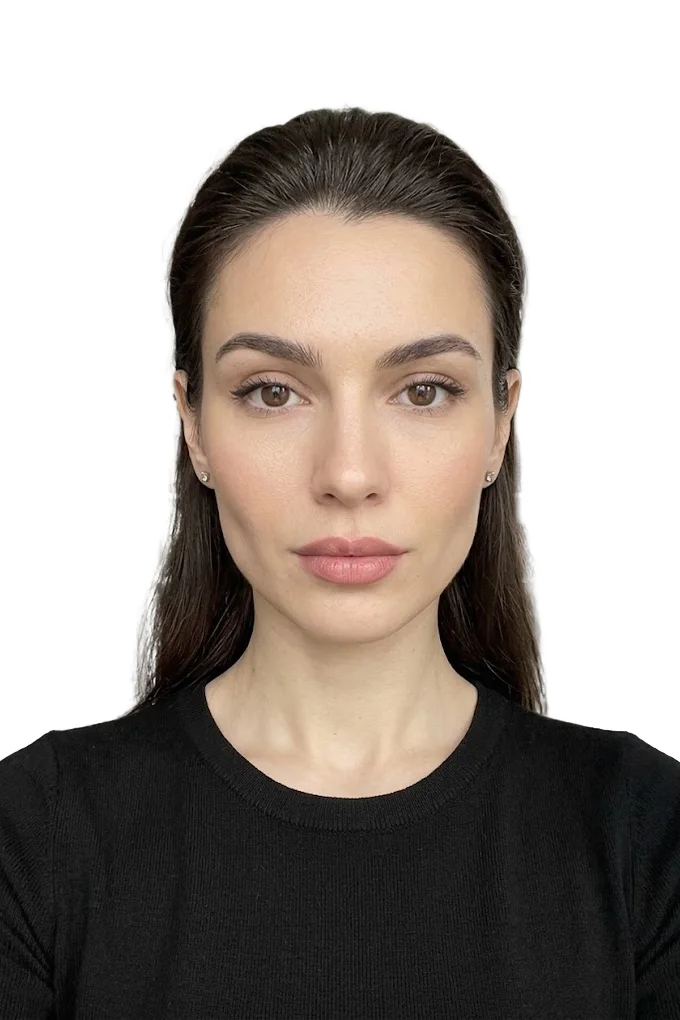 BeforeAfter⇆
- Bring back sharpness in the face and eyes
- Remove noise and artefacts without plasticising the skin
- Fix colour, contrast and a broken exposure
- Remove scratches, stains and creases from an old scan
- Return a file large enough to print
- Price per photo$10
- Turnaroundwithin 24 hours
- Deliveryto your email
- If we cannot do itmoney back
We will finish your photo by hand
A studio retoucher fixes what automation cannot: sharpness, face, colour, defects. Pay first, then simply send the photo and tell us what you need. If we cannot do it, you get your money back.
- Manual photo retouching$10
How to check your green card photo before you apply
There is no official button that says "check my photo and give me a guarantee". The tool on the Department of State website only crops the picture to 600 by 600 and, as stated right there, does not check image quality. A reliable check consists of two parts: measure what can be measured (pixels, file size, the share of the head, the eye position) and take an honest look at what cannot be measured (light, shadows, facial expression, how recent the picture is). Both parts can be done at home in ten minutes.
First make sure registration is open
Entries are not accepted all year round, only during the registration period, which the Department of State announces separately. The rest of the time the form on the program website is closed. The procedure changes as well: the agency postponed the start of one of the recent registration periods after announcing changes to the way entries are submitted.
For the photographs this leads to a simple rule: do not prepare the pictures many months ahead. They must be no older than six months on the day you apply, and during a long wait they can go out of date. Wait for the announced dates and take the pictures shortly before them.
Besides the photo, under the updated program rules the entry needs a scan of the biographic and signature page of a valid passport, unless you fall under one of the few exemptions. It is better to prepare this file as well before you open the form.
How to take the original picture
The less you have to fix afterwards, the better: you are not allowed to change your appearance in the picture by digital means. The goal of the shoot is a frame that only needs cropping.
- Find a white or very light plain wall. A white bedsheet without creases, stretched over a door, will also do.
- Stand facing a window, about half a metre (a foot and a half) away from the wall. The light should fall on your face from the front, not from the side and not from behind.
- Ask someone to photograph you with the main camera of the phone from a distance of one and a half to two metres (5 to 6 feet). The camera is at eye level. A selfie at arm's length distorts the proportions of the face.
- Shoot from the waist up, with spare room around the head. Cropping the excess is easy, drawing in a cut-off top of the head is impossible.
- Turn off filters, beauty mode and portrait mode with background blur. Take several frames and pick the one where your gaze is direct and your face is calm.
Photo studio or at home: where to take the picture
Where you live makes no difference: the requirements are the same in every city and every country, and the Department of State has no special list of "approved" photo studios. The agency recommends a professional photo service but does not require one.
If you go to a studio, name the format precisely: a US visa photo, 2 by 2 inches (51 by 51 millimetres), white background, no glasses, and ask for a digital file of 600 by 600 pixels in JPEG. Warn them that no retouching is needed: studios often do it out of habit. If you only get a paper print, you can scan it at 300 pixels per inch, but a ready file is more reliable.
How to resize a photo to 600x600
Open the ID Photo Online tool, upload your frame and choose the document type "US Visa (DS-160) / Green Card". JPEG, PNG, WebP, HEIC and AVIF files up to 20 MB are accepted, and the face has to be fully in the frame and facing the camera. The tool makes the background white, and there is no choice of colour in it.
The tool will crop the picture to a 600 by 600 square according to the specification of the chosen document, even out the background and bring the file size within the permitted 240 KB. It does not change the face: it does not retouch the skin, does not adjust the features, does not "improve" your appearance. Its job is the frame, the margins, the background and the file size.
Processing and the preview are free, and the preview carries a watermark. The clean file without the watermark is paid. The picture is sent to the server for processing.
If the top of the head or the chin ends up close to the edge in the result, the original frame did not have enough room around the head. Take another picture from the series, one where you are standing a little further from the camera.
What the photo check shows
Even before processing you see a preliminary check: whether a format has been chosen, whether the resolution of the original is sufficient, whether the head is level and how white the background is. Each item gets a mark: OK, warning or error. Under the finished result you will find the dimensions in pixels and the maximum file size.
A background warning most often means there was a shadow on the wall or the background was not white. In that case it is better to retake the picture against a clean background than to hope that processing will hide everything.
It is important to understand the limits: the check deals with technical parameters. It does not know when the picture was taken, whether you submitted it last year or whether the consular officer will recognise you from it. It is not a ruling by the Department of State and guarantees nothing. It is a way to avoid mistakes in what can be measured.
A five-minute manual check
Before you upload the finished file to the form, go through it yourself:
- the file properties show 600 by 600 pixels, type JPEG, size no more than 240 KB;
- from the top of the head, hair included, to the chin is between a half and two thirds of the image height;
- the eyes are above the middle of the picture and the head is centred;
- the background is white, with no shadows, stripes or objects;
- there are no glasses, the face is uncovered, both eyes are visible, the expression is calm;
- there is no glare and no harsh shadows on the face, and the skin tone looks natural;
- the picture is less than six months old and you have not submitted it in previous years.
The share of the head is easy to check in any editor that shows the cursor coordinates: place the cursor on the top of the head, then on the chin, and subtract one value from the other. You should get between 300 and 414 pixels. The eye line should be 186 to 264 pixels from the top edge, which is the same 56-69 percent, only counted from the top.
It is useful to compare your file with the official samples: the Department of State website has a page with examples of accepted and rejected visa photos grouped by topic (lighting and shadows, size and position, pose, attire and glasses, background, children) and a photo composition template with the head and eye markings.
When to retake the photo instead of fixing it
Retake the picture if the top of the head is cut off in the original, the head is turned, the eyes are half closed, there is a lamp shadow on the face or you are wearing glasses. No service will fix this honestly, and a dishonest fix is exactly the kind of alteration that gets entries rejected.
If the only problem is that the frame is rectangular and too large, the shoot was a success and only the technical part is left. How cropping works and why no quality is lost in the process is explained in the guide on how to crop a photo online.
Uploading to the form: one hour for everything and a confirmation number
The entry form cannot be saved and finished tomorrow. According to the instructions you have 60 minutes from the moment the form is opened to complete and submit it, after which everything you typed is erased. That is why the photographs of all family members have to be ready before you start: it is too late to look for a white wall while a timer is running on the screen.
After you submit, a screen appears with your name and a unique confirmation number. Print it or save it: without the number you cannot find out the result. If there is no number on the screen, the entry was not recorded and you submit it again, which does not count as a duplicate.
Do not send the finished file to yourself through messaging apps before uploading: many apps recompress and shrink images on their own, and a different file will end up in the form. Keep the picture itself next to the confirmation number: a year later it will remind you which frame you are not allowed to submit again.
Baby and child photos, differences from a US visa photo and what happens if you win
One person submits the entry, but it usually contains several photographs: one for the spouse and one for each child listed on the form. According to the instructions these are separate recent pictures with the same technical parameters as the entrant's own. A mistake in a child's photo is just as dangerous for the entry as a mistake in yours.
Child photo: same rules, different shoot
The same figures apply to children: 600 by 600 pixels, JPEG up to 240 KB, white background, head at 50-69 percent of the height, full face view, no glasses. The Department of State has a separate requirement for children's pictures: the child is alone in the frame, the eyes are open and looking at the camera. A photo of a sleeping baby will not do.
A child is hard to keep still, so shoot in bursts of ten to twenty frames in a row and choose afterwards. A toy or a second adult right above the phone helps to get a direct gaze. A calm face on a preschooler rarely happens on the first attempt, and that is normal.
How to take a baby photo for the DV Lottery
The Department of State gives two tips for the youngest children. The first: lay the baby on their back on a plain white or off-white sheet and shoot from above, so that the head is supported and the sheet serves as the background. The second: cover a child car seat with the same kind of sheet and seat the baby in it.
- there must be no adult hands in the frame, or anything else that supports the child;
- there must be no shadows on the face, especially when shooting from above: do not block the light from the window with your own body;
- remove the pacifier, toys, hat and hood: the face has to be as uncovered as an adult's;
- wait for a moment when the baby is awake and looking at the phone.
When shooting from above, hold the phone directly over the face and not from the side of the feet, otherwise the chin will come out bigger than the forehead. Smooth out the creases in the sheet beforehand: in the picture they turn into grey stripes on the background.
Children grow: do you need a new photo every time
For a lottery entry the answer is clear: yes, every time a new picture no older than six months, and not the one from the previous entry. This rule in the instructions has no exceptions based on age.
The leniency for children lies elsewhere. If a child under 16 has changed after the entry was submitted simply because they have grown, a new picture on the grounds of changed appearance will generally not be required. The decision, as everywhere else, rests with the consulate.
Spouse, children and keeping things in order
Take the pictures of all family members on the same day and in the same place: one wall, one window, one distance. That makes it easier to get a consistent result and not to mix up how old the pictures are.
Name the files after the people in them right after processing. Mixing up the photos of two children born a year apart during the upload is easier than it seems, and you cannot submit a second, corrected entry. Before you submit, open every file and compare it with the name on the form.
If each spouse submits an entry of their own, which the rules allow, both entries must list all family members, and both need the full set of photographs.
DV Lottery photo vs US visa photo: what is different
The requirements for the portrait itself are shared: the instructions say that the pictures for the entry must meet the same standards as US visa photos. The background, the head size, the ban on glasses, the six-month limit and the neutral expression all match. The details of submission differ.
- Image dimensions. The lottery names a square of 600 by 600 pixels. For the DS-160 nonimmigrant visa form the general tolerance applies: a square from 600 to 1200 pixels on each side. The file size limit is 240 KB in both cases.
- The cost of a mistake. With a visa form the consulate can ask for a new picture, and some embassies require you to bring one paper photo to the interview anyway. In the lottery nobody will ask: an unusable picture means the risk of losing the entire entry.
- Reusing a picture. A direct ban on the photograph from last year's entry exists only in the lottery rules.
- Paper. Only a file is submitted to the lottery. Paper prints are needed later, by the winners.
If you need a picture not for the lottery but for a tourist visa or another kind of visa, including visas to other countries, the visa photo page will help with the formats: sizes differ from country to country, and the 2 by 2 inch square is far from universal.
What you will need if you are selected
Everyone who goes to the interview on a winning entry, including the spouse and children, brings two identical 51 by 51 millimetre pictures printed on photo paper. Whether it is matte or glossy does not matter: the Department of State accepts both. A home printout on office paper will not do.
The image requirements are the same, and the picture once again has to be recent, no older than six months. A lot of time passes between submitting the entry and the interview, and the photo from the entry will be out of date by then, so do not print the paper photos in advance. Check the details in the instructions of the consulate where your interview is scheduled.
Should you change the background of a finished photo
The rules require a white background and at the same time forbid altering the picture. The safest route is to shoot against a white background from the start, so that all processing has to do is crop the frame and slightly even out the tone of the wall.
We do not recommend replacing a patterned rug or a kitchen cabinet with a white fill for the sake of a lottery entry: that is a noticeable intervention in the frame, and there is no way to predict how the reviewer will judge it. For tasks without such restrictions, for example a CV photo or a product listing, replacing the background is perfectly normal, and there is a separate article about it: how to remove the background from a photo online.
How much it costs to enter and a short checklist
For many years submitting an entry was free, and the older instructions say so. Then the Department of State introduced a registration fee of 1 dollar per entry; according to the agency's explanations, it is paid when the form is submitted through the government payment system, and there are no waivers. Check the current conditions in the instructions for the year in which you apply. Anything else you are asked to pay "for participation" or "for a government photo check" has nothing to do with the Department of State.
- Wait for the announced registration dates and read the current instructions.
- Photograph each family member against a white background by a window, without glasses, with spare room around the head.
- Fit the frames to the "US Visa (DS-160) / Green Card" format and look at the preliminary check.
- Go through the manual list: dimensions, file size, share of the head, eyes, background, how recent the picture is.
- Upload the files to the form in one sitting, and save the confirmation number and the pictures themselves.
The instructions specifically ask you not to leave the entry until the last week of registration: because of heavy demand the program website runs with delays, and late entries are not accepted.
Frequently asked questions
What size is a green card photo in pixels and in inches? The electronic DV Lottery entry needs a square 600x600 pixel file in JPEG format, no heavier than 240 KB. On paper that is a 2x2 inch print (51x51 mm, or 5.1x5.1 cm): a print like this is scanned at 300 pixels per inch, and winners bring two of the same to the interview.
Can you wear glasses in a green card photo? No. The lottery instructions say: do not wear glasses. For visa photos the ban has been in force since November 1, 2016. An exception is made only for medical reasons, for example after eye surgery, with a signed statement from a doctor.
Can I use the same photo as last year for the DV Lottery? No. The program instructions say that submitting the same photograph that was in last year's entry makes you ineligible for a visa. In addition, the picture must be taken no more than six months before you apply.
How do I check my green card photo online? There is no official service that confirms a photo is acceptable: the Department of State tool only crops the picture and does not check quality. Measure it yourself: 600x600 pixels, JPEG, up to 240 KB, head at 50-69% of the image height, eyes at 56-69% of the height from the bottom. Before processing, the tool on our site shows a check of the resolution, head tilt and whiteness of the background.
Is a photo made or enhanced with AI accepted? No. Under the Department of State requirements a photo must not be digitally enhanced or altered in a way that changes your appearance, and the lottery instructions forbid any manipulation of the picture. A generated portrait is not your photograph. Cropping, rotating and resizing to the required dimensions are acceptable.
Does each child need a separate photo, and how do you photograph a baby? Yes, the spouse and each child on the entry need a separate recent picture with the same parameters. A baby is laid on a white sheet and photographed from above, or seated in a car seat covered with a sheet. No adult hands may be in the frame, and the child's eyes must be open.
Can I take a green card photo at home with my phone? Yes. The Department of State recommends a professional photo service but allows you to take the picture yourself. Low quality pictures will not pass: blurry, dark, with shadows. Use the main camera, a white background and daylight, with no filters and no portrait mode.
What paper should interview photos be printed on, and how many do you need? Each applicant brings two identical 51x51 mm pictures on photo paper to the interview. Matte or glossy does not matter: both are accepted. The pictures must be taken within the last six months.
We will edit a sample from your catalog for free
For online stores, manufacturers, brands and wholesale suppliers. Send 1-3 product photos and we will return them professionally edited, with a price quote for your whole catalog.
This is a b2b, volume format. We do not process personal photos (portraits, events, documents) here.
Request received
We will edit your sample and send the result with a catalog quote within one business day.