Visa Photo Size and Requirements by Country: Schengen, US, China and More
Visa Photo Size and Requirements by Country: Schengen, US, China and More
Visa photo size by country: summary chart
There is no single visa photo size: every country sets its own. The most common one is 35x45 mm (Schengen, Japan, Korea, Thailand, Canada). The US and India want a 2x2 inch square, which is about 50x50 mm, China asks for 33x48 mm and Turkey for 50x60 mm. The small details that get photos rejected differ too: the US and the Indian e-visa require you to take your glasses off, China and Schengen allow them, some countries insist on a pure white background and others just on a light one.
Below is a summary table of sizes in millimetres and pixels, followed by a closer look at the countries people ask about most often. The requirements were checked against the official pages of consulates and visa authorities. Where we could not find an official figure, we say so and suggest you confirm it with the consulate instead of making a number up.
Why every country has its own size
The photo rules are set by the receiving side: the consulate, the immigration service or the e-visa portal. Each has its own application forms with a photo box and its own checking software. That is why a photo that worked for Schengen will not fit a US visa application: the US needs a square, not a vertical rectangle.
The foundation is still shared: most countries rely on the ICAO recommendations for portraits in travel documents. This is where the nearly universal rules come from: face straight on, neutral expression, even light, a plain light background, a recent picture. What differs is the frame size, the share of the frame the head takes up and the attitude to glasses.
Visa photo size chart by country
The table lists the formats from our tool's catalogue: print size in millimetres, file size in pixels and the maximum file weight the tool prepares the file for. These are working preparation settings, not a replacement for the consulate's instructions. For two destinations the portal asks for a smaller file than the table shows: China's online application and Korea's K-ETA travel authorisation, both covered below.
| Country or document | Size, mm | File, pixels | File weight, up to |
|---|---|---|---|
| Schengen (any country) | 35x45 | 600x800 | 480 KB |
| US visa (DS-160) and green card | 51x51 | 600x600 | 240 KB |
| China (visa application centre) | 33x48 | 420x560 | 40-120 KB |
| Japan | 35x45 | 600x800 | 480 KB |
| South Korea | 35x45 | 413x531 | 1000 KB |
| Thailand (eVisa, DTV) | 35x45 | 413x531 | 1000 KB |
| India (eVISA) | 50x50 | 900x900 | 1000 KB |
| India (regular visa) | 50x50 | 900x900 | 300 KB |
| United Kingdom | 35x45 | 600x800 | 240 KB |
| Canada (tourism, study) | 35x45 | 600x800 | 480 KB |
| Vietnam (eVisa) | 40x60 | 472x708 | 1000 KB |
| Indonesia (eVOA, VITAS) | 40x60 | 472x708 | 200 KB |
| Turkey (eVisa, residence permit) | 50x60 | 590x708 | 1000 KB |
| UAE (residence visa) | 35x45 | 600x800 | 500 KB |
| Egypt (eVisa) | 40x60 | 472x708 | 1000 KB |
| Saudi Arabia (eVisa, Umrah) | 60x60 | 708x708 | 1000 KB |
The catalogue covers other destinations as well: Singapore, Malaysia, the Philippines, Australia, New Zealand, the CIS countries, the Balkans, Latin America. The principle is the same: you pick the document and the frame size is set for you.
Millimetres and pixels: how they relate
Millimetres matter when the photo is printed and glued to a form. Pixels matter when a file is uploaded to a website. It is the same picture in two forms. What links them is print density: the more pixels per millimetre, the sharper the print. That is why the 35x45 format appears in the table in two versions, 413x531 and 600x800: the proportions are identical, the difference is the margin of sharpness.
The authorities do the same maths. The US Department of State, for example, lets you scan a finished 2x2 inch paper photo at 300 dots per inch: the result is exactly a 600x600 pixel square, the lower limit for the US application. Thai embassies also name 300 dots per inch for the e-visa photo.
Printed photo or digital file: which one you need
There are three scenarios. First: a paper form submitted in person, so you need printed photos. This is how you apply for a Japanese visa and for a regular Israeli visa. Second: the form is filled in online and a file is uploaded there, then you bring the printed form together with a paper photo. This is how applications for a Chinese visa and for a regular (not electronic) Indian visa work. Third: a fully electronic process where only a file is needed: the e-visas of India and Thailand, the DS-160 form for a US nonimmigrant visa.
The number of prints is decided by the consulate. A few confirmed examples: for a US immigrant visa and for Diversity Visa lottery winners, two identical photos are brought to the interview; Israeli embassies ask for two photos for a B/2 visitor visa; for a US nonimmigrant visa the file is enough, but some consulates also ask for one print. For Schengen and Japan, look up the number of photos in your visa centre's document checklist.
If you are not sure which scenario is yours, prepare both versions at once. One good shot gives you both the file to upload and the print.
What is the same for almost every country
There is a set of rules shared by the vast majority of consulates. If you follow it when shooting, all that is left for a particular country is to adjust the size.
- Face strictly straight on, head not tilted or turned, eyes looking at the camera.
- Neutral expression, mouth closed, eyes open and clearly visible.
- Plain light background, with no patterns, objects or shadows.
- Even light: no shadows on the face, no overexposed areas, no red eyes.
- Only you in the frame, wearing ordinary everyday clothes.
- Head coverings are allowed for religious reasons (some countries add medical ones), and the face must stay fully visible.
- The photo is in colour, sharp, with no borders and no retouching.
Six months: how recent a visa photo must be
The US, China, Japan, Korea, Thailand, Canada and Germany's visa application centres all name the same limit: the photo must be taken no more than six months before you apply. The Czech Republic puts it differently, without a time limit: the picture must reflect your current appearance.
This is not a formality. Korean consulates warn outright that they will return a photo if it matches the one in a passport or another document issued more than six months ago. Thai embassies ask you not to cut the photo out of a passport scan and warn that if the picture does not look like you today, you may be refused entry. It is better not to reuse an old photo, however good it was.
US, Schengen and China visa photo requirements
These three destinations raise the most questions, and each has its own character. The US requires a square and bans glasses. Schengen is strict about the size of the face in the frame. China sets the most unusual format and checks the file automatically while you are still filling in the form.
US visa photo: a 2x2 inch square
Under the US Department of State requirements, the photo is square, 2x2 inches, which is 51x51 mm. Catalogues label this format as 50x50. The head from chin to top takes up between 1 and 1 3/8 inches, that is 50 to 69 percent of the frame height. In millimetres the upper limit is 35, while the lower one is rounded differently in different documents of the department, so it is safer to go by percentages: the head fills from half to two thirds of the height of the picture.
The background is white or off-white, the expression neutral, both eyes open. The photo is in colour and taken within the last six months. Clothing is everyday wear: uniforms are not allowed, except religious clothing worn daily. A head covering that hides the hair or hairline is possible only if it is worn every day for religious reasons, and it must not cast shadows on the face.
US visa photo: no glasses, no headphones
The main difference in the US rules: since November 2016 glasses have not been allowed in new visa photos. Not only tinted ones or ones with glare, but ordinary glasses too. There is one rare exception: the glasses cannot be removed for medical reasons, and this is confirmed by a signed statement from a doctor. If you wear glasses all the time, you still have to take them off for the shot.
Headphones and wireless hands-free devices are not acceptable in the frame. A hearing aid may stay if you wear it all the time.
The second hard rule: the photo must not be enhanced or altered digitally. No filters, no skin smoothing, no changes to facial features. You may crop the frame and bring it to the required size, but you may not change how you look.
US visa photo: the file for DS-160 and the DV lottery
The DS-160 form is completed online, and the photo is uploaded there as a file. The Department of State requirements for the digital image:
- square, with each side from 600 to 1200 pixels;
- JPEG format;
- file weight no more than 240 KB;
- colour image, 24 bits per pixel, sRGB colour space (the one most cameras and phones shoot in).
Our tool prepares a 600x600 pixel file for this document and makes sure the weight stays within the limit. For the Diversity Visa lottery the limits are the same, but the size is fixed strictly: exactly 600x600 pixels, JPEG up to 240 KB. Mistakes in the lottery have their own price, and that is a subject for a separate guide.
If you have no digital file but do have a paper photo, you can scan it, but only if the print itself is 2x2 inches: scan it at 300 dots per inch. A scan of a 35x45 picture made for another document will not do: the head proportions inside the square will be wrong. Some consulates ask you to bring one printed photo to the interview as well, which is stated in the instructions of the specific embassy.
Schengen visa photo: 35x45 mm with the face at 70-80 percent of the frame
A Schengen visa needs a 35x45 mm photo. The key requirement concerns the face, not the frame: according to the German photo template, the height of the face from the chin to the top of the head is between 32 and 36 mm, which is 70-80 percent of the picture height. Put simply, the face is large, only a little of the shoulders is visible, and a small margin is left above the head. For children under six the German rules allow deviations in face height.
This is exactly where home-made photos fail: someone takes a waist-up portrait, crops it to the 35x45 proportions, and the face ends up too small. The print size is right, yet the photo is not accepted. You have to crop from the face, not from the edges. How this kind of cropping works is explained in our guide on cropping a photo online.
Schengen visa photo: background, glasses and differences between countries
Unlike the US rules, the Schengen rules allow glasses: according to the German template the lenses must not be tinted or reflect light, and the eyes must be clearly visible. Sunglasses are ruled out. If the frame is heavy and covers the eyes, it is safer to take the picture without glasses: that breaks no rule and removes the risk.
A "Schengen photo" is not a single document but a common standard that each country words in its own way, and there are discrepancies even within one country:
- Germany. The general template speaks of a plain light background, while one of Germany's visa application centres is stricter: white background, no corner marks or ovals, no retouching, photo no older than six months, ears preferably visible.
- Czech Republic. With the same 35x45 mm size, the foreign ministry specifies a minimum distance of 13 mm from the eyes to the chin, civilian clothing, a ban on dark glasses (except for blind applicants) and head coverings only for religious or medical reasons.
The practical conclusion: use the common size, make the background white (it fits any of the wordings), and check the number of photos and the details on the page of the country you are applying to.
China visa photo: do you need a visa and what size is the photo
First check whether you need a visa at all. China has visa-free entry arrangements for holders of ordinary passports from a number of countries: they cover short trips for tourism, business, visits to family and friends, and transit. The list of countries, the permitted length of stay and the dates until which the arrangement runs change from time to time, so check the current rules for your passport on the website of the Chinese embassy before you plan anything. For study, work and longer trips a visa and a photo are still required.
The size is non-standard: 33 mm wide and 48 mm high. China's visa centres and consulates also specify the head dimensions: width from 15 to 22 mm, height from 28 to 33 mm. The background is white with no border along the edge, the photo is in colour and taken within the last six months.
Some requirements do not exist in other countries or are milder there. The ears are visible, the lips closed, the eyes open. The head may be tilted sideways by no more than 20 degrees, and up or down by no more than 25. Glasses are allowed, except those with thick frames, tinted lenses or glare. Head coverings only for religious reasons. There must be no other objects in the frame, and the picture itself must be free of overexposure, red eyes and distortion.
China visa photo: the file for the online application
The Chinese visa application is filled in online, and the photo is uploaded in the same place. The file requirements here are unusually tight: according to the visa centres' instructions it is a JPEG from 354 to 420 pixels wide and from 472 to 560 pixels high, weighing from 40 to 120 KB. There is a lower weight limit too: the system will not accept a file that is too light either.
The "China" format in our tool is built for these limits: a 420x560 pixel file weighing from 40 to 120 KB. The current limits are shown on the upload page of the application itself, so check against it: if the portal changes them, the file will have to be adjusted. How to shrink a file without ruining it is covered in the article on reducing photo file size without losing quality.
The system checks the file automatically and rejects it without detailed explanations. If it complains about the background or the head position, it is easier to retake the shot against a white background in even light than to rescue a bad one. The paper photo for the form and the file are best made from the same original shot.
Do not want to fiddle with it? Hand the photo to a retoucher
Automation does not fix everything: a difficult frame, a photo that matters, an old print off a scanner. Where the algorithm gives up, a person works the picture layer by layer in Photoshop, by hand.
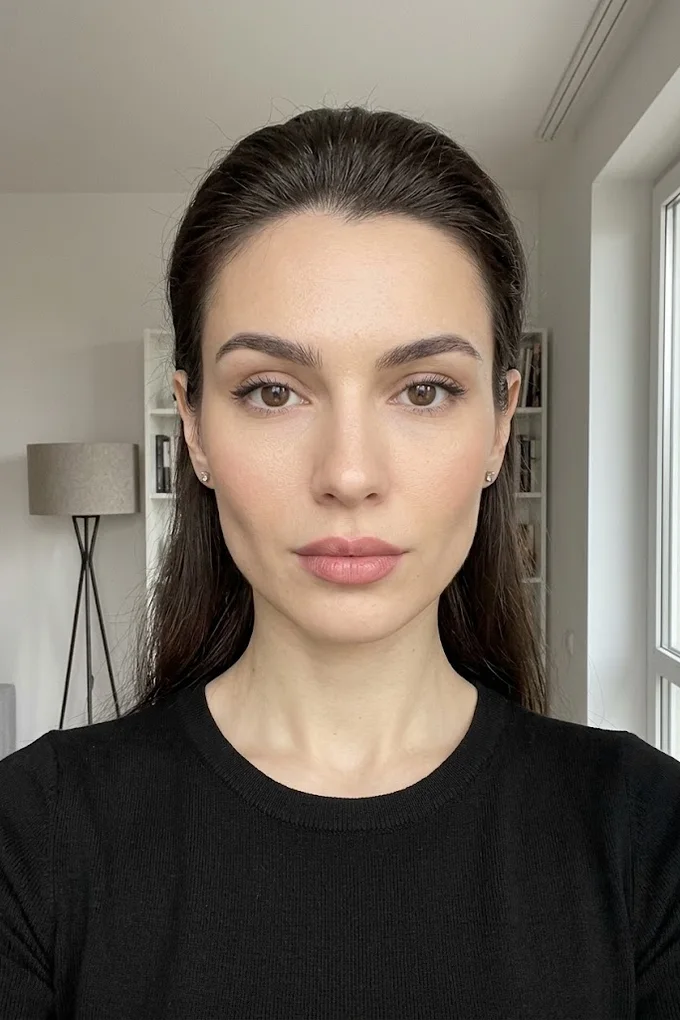
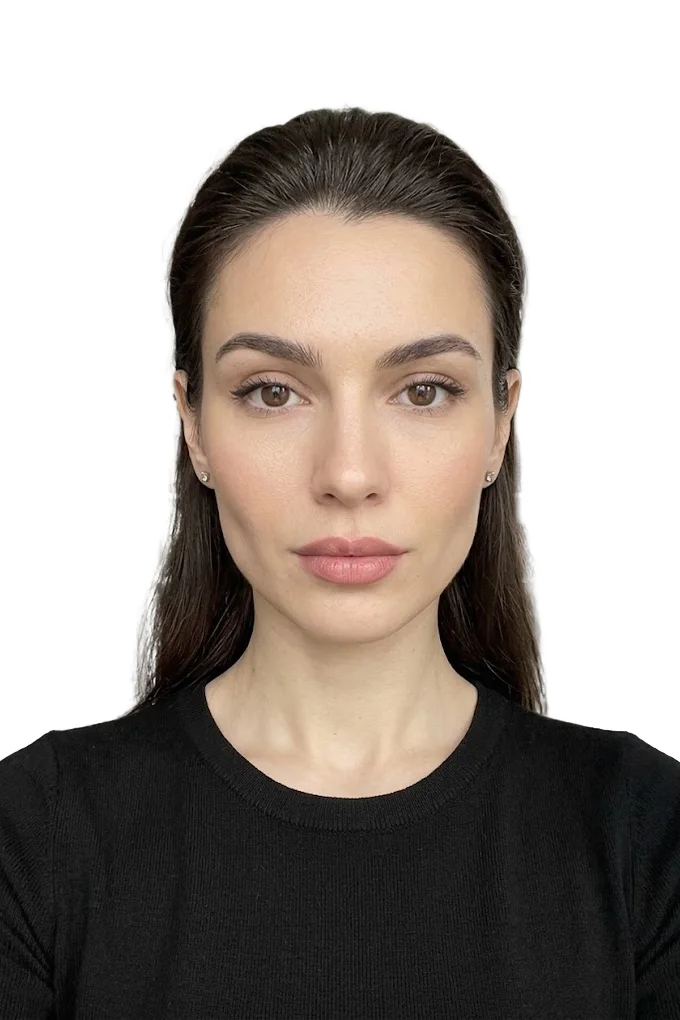 BeforeAfter⇆
- Bring back sharpness in the face and eyes
- Remove noise and artefacts without plasticising the skin
- Fix colour, contrast and a broken exposure
- Remove scratches, stains and creases from an old scan
- Return a file large enough to print
- Price per photo$10
- Turnaroundwithin 24 hours
- Deliveryto your email
- If we cannot do itmoney back
We will finish your photo by hand
A studio retoucher fixes what automation cannot: sharpness, face, colour, defects. Pay first, then simply send the photo and tell us what you need. If we cannot do it, you get your money back.
- Manual photo retouching$10
Japan, Korea, Thailand, India, Israel and other countries
The Asian destinations share the familiar 35x45 mm format, but they should not be confused: India uses a square, e-visas have their own file requirements, and Korea and Thailand are especially strict about how recent the picture is. Israel, Canada and Turkey are covered separately.
Japan visa photo: 45x35 mm, no shadows or glare
Under the standard used by Japanese embassies, a visa photo is 45 mm high and 35 mm wide. The picture is taken within six months before the application. Only the applicant is in the photo, the image is sharp and undistorted, the face looks straight ahead and is not covered by hair.
The background has no pattern and no shadow and is not too dark: the person must stand out clearly from the background and not blend into it. Head coverings are not allowed. Glasses are possible, but there must be no light reflections on the lenses. The frame runs from the upper chest to the top of the head, with a small free margin above the head.
The photo is glued to a paper application form. The Japanese standard contains a rare proviso: the image must not be printed into the form from a computer, it has to be a real photograph. Older instructions also mentioned a square 45x45 mm format, but we could not find official confirmation of it now. If your visa centre's document checklist names a different size or a specific number of photos, follow the checklist. Our tool prepares the 35x45 mm format and a 600x800 pixel file for Japan.
South Korea visa photo: 35x45 mm and the K-ETA
Korean consulates ask for a colour photo of 35x45 mm on a plain, evenly lit light background, with no stains or creases, taken within the last six months. The applicant looks straight at the camera. Sunglasses and head coverings are prohibited, with an exception for medical reasons.
A religious head covering is allowed if the face is fully visible from chin to forehead: eyebrows, eyes, nose and mouth uncovered. In that case the ears may be covered. Otherwise it is better to show them: among the reasons for returning photos, the consulates list pictures in which the person is hard to recognise, and give as examples a face that has changed a lot, a different hair colour, poor quality and photos without visible ears.
The Korean instructions are mild about the background colour: light and plain. White is the safest choice, since it fits any reading.
For short trips, an electronic travel authorisation called K-ETA is issued instead of a visa, and the photo is uploaded there as a file. The size and weight limits of that portal are noticeably lower than those of visa applications, and the file from our table may turn out to be too large for it. The exact figures are shown in the upload form: check against it and reduce the file if necessary.
Thailand visa photo: a JPG file up to 3 MB and a recent picture
First, whether you need a visa. Citizens of many countries do not need one for short tourist trips, but Thailand has changed the permitted length of visa-free stay, so check it for your passport before buying tickets. For long trips, study, work and the DTV visa you apply for an e-visa, and that is where the photo is needed.
Thai embassies describe it this way: a passport-style photograph in a JPG or JPEG file, 300 dots per inch, no more than 3 MB, taken within the last six months. In our catalogue Thailand, including the DTV, has the 35x45 mm format and a 413x531 pixel file: that is exactly 35x45 mm at 300 dots per inch.
The embassies single out two mistakes. The first: a photo cut out of a passport scan. You need a separate fresh picture, not a piece of a document page. The second: an old photograph. If it does not reflect your current appearance, you may be refused entry.
The Thai instructions give no detailed standards for head size or background shade, so follow the general rules: white or light background, face straight on, neutral expression, no head covering and no dark glasses.
India visa photo: a square picture and no glasses
India, like the US, requires a square. For the e-visa the official portal states: JPEG format, weight from 10 KB to 1 MB, height and width equal. Face straight on, eyes open, head centred and fully visible from the top of the hair to the chin. The background is plain light or white, with no shadows on the face or behind you, and no borders. And a detail that is often missed: the e-visa photo is taken without glasses.
Along with the photo you upload the passport data page to the portal, and it has its own limits: a PDF file weighing from 10 to 300 KB. This is a frequent cause of delay: the photo goes through, and the passport scan turns out to be too heavy.
For a regular (not electronic) visa the form is filled in on the same portal, but the file requirements are stricter: JPEG from 10 to 300 KB, a square with each side from 350 to 1000 pixels, head from chin to top between 25 and 35 mm. A 5x5 cm paper photo is attached to the printed form. The tool prepares a 900x900 pixel file for India: it suits the e-visa as is, and for a regular visa check the weight and reduce it to 300 KB if necessary.
Israel visa photo: two 5x5 cm pictures
Citizens of visa-exempt countries do not need a visa for short trips to Israel, but since 1 January 2025 they have to obtain the ETA-IL electronic travel authorisation before travelling. It is issued through an online form; what exactly you will be asked to upload is shown in the form itself.
If what you need is an actual visa, for example a B/2 visitor visa for citizens of countries that require one, Israeli embassies list two 5x5 cm photos on a white background, face straight on, among the documents. Other sizes for Israel, 35x45 and 55x55 mm, circulate online, but on the embassy pages we found precisely 5x5.
There is no separate "Israel" line in the tool's catalogue. A square of this size is produced by the 50x50 mm formats, for example "India (eVISA)". Before printing, check your consulate's document list: the requirements may differ for particular visa categories.
Canada and Turkey in brief
For a Canadian temporary resident visa, the immigration department sets a frame of at least 35x45 mm and a head size from chin to crown of 31 to 36 mm. The background is white or light, the expression neutral, the mouth closed, and the top of the shoulders is in the frame. The photos are identical, taken within the last six months and printed on quality photographic paper.
Turkish consulates name a 50x60 mm biometric photo on a white background with no pattern for visa applications: the face is uncovered, hair does not hide it, the head is not tilted, the lips are closed. Creased and damaged prints are not accepted.
Other countries: how to find the requirements yourself
If your country is not covered here, the procedure is always the same. Find the official page of the consulate or visa centre and write down four things: the photo size in millimetres, the background requirements, the attitude to glasses and, if the application is electronic, the file parameters. Then open the visa photo preparation page and choose the country from the list.
Do not trust tables on third-party sites blindly, ours included: requirements change, and consulates update them without announcements. For Vietnam, Indonesia, Egypt, the UAE and Saudi Arabia the table shows the working formats of the catalogue, and it is worth checking them against the e-visa portal before you apply. The final word always belongs to whoever accepts the documents.
How to make a visa photo online and avoid rejection
For most visas you do not have to go to a photo studio. A phone picture will do if you observe a few conditions when shooting, and the size, margins and file weight can be set automatically. Not everything can be fixed afterwards, though, so start with a proper original shot.
How to take the original shot with a phone
Stand facing a window in the daytime: diffused light gives an even face without harsh shadows. Do not shoot with the window behind you or under a ceiling lamp, which puts shadows under the eyes. You need a plain light wall behind you, ideally about half a metre away, so that your shadow does not fall on the background.
Ask someone to photograph you from one and a half to two metres away, holding the phone at the level of your eyes. A selfie at arm's length distorts the proportions of the face. Leave some room in the frame: head and shoulders with space around them, since the cropping comes later anyway.
- Move your hair off your face, and for China and Korea show your ears.
- Take off your glasses if you are applying to the US or for an Indian e-visa. For other countries make sure there is no glare.
- Remove headphones and headsets.
- Turn off filters, face enhancement and portrait mode with background blur.
- Take several shots and choose the one where you look straight ahead with your mouth closed.
How to fit the photo to a country in the tool
Open the "ID photo online" tool, upload your picture and choose the document type, that is, the country and kind of visa. A JPEG, PNG, WebP, HEIC or AVIF file of up to 20 MB will work. The chosen document determines the frame size, the margins around the head and the maximum file weight.
The tool then crops the picture to the standard, evens out the background and brings the file weight within the allowed limit. The tool makes the background white, and there is no colour choice in it: visas almost always need white.
The tool has its limits. It will not find a face in a profile shot or where the face is cut off. An original that is too small, less than 600 pixels on the short side, will not work: there is not enough quality. And it will not fix what went wrong during shooting: a tilted head, closed eyes, glare on glasses, a blurred frame. A photo like that is easier to retake.
What the check shows
Even before processing you see a preliminary check: whether a format is selected, whether the original has enough resolution, whether the head is straight and how white the background is. Each item gets a mark: OK, warning or error. After processing you see the "before" and "after" pictures, the size and the maximum file weight.
If the background is marked as not white, there were shadows or objects behind you, and it is better to reshoot against a bare wall. There is a separate article on how background replacement works and where it goes wrong: how to remove the background from a photo online.
The check covers technical parameters and does not replace a consular officer. Processing and the watermarked preview are free, the clean file without the watermark is paid. The picture is sent to a server for processing.
One photo for several visas: when it works
You can have one original shot and a separate crop for each country. A 35x45 mm picture on a white background will suit Schengen, Japan, Korea, Thailand and Canada, provided it is recent and the face is large enough. For the US, India and Israel a square is made from the same shot, for China a 33x48 mm vertical frame, for Turkey 50x60 mm.
To make one shot work everywhere, shoot by the strictest rules from the start: white background, no glasses, ears visible, mouth closed. A picture like that breaks none of the requirements of the countries covered here.
How to print a visa photo
If the consulate accepts only a file, no printing is needed. If a print is required, two things matter: that the size does not change during printing and that the paper is photographic. The US and Canada explicitly require quality photo paper, and Japan does not accept an image printed into the form. A common mistake: a 35x45 mm file is sent to print with "fit to page", and the printer stretches it. The face is right, but the picture is a couple of millimetres bigger and does not fit the box on the form.
When printing, choose actual size, with no scaling. After printing, put a ruler to it: 35 mm must be 35 mm. Cut exactly along the edge, with no white rim: China and India say outright that there must be no border. Protect the print from creases: crumpled photos are returned.
Why an AI-generated photo will not work for a visa
The temptation is understandable: upload a selfie to a generator and get a "perfect business portrait on a white background". For a visa this is a bad idea. A generative model does not process your picture, it draws a new face that resembles yours: a slightly different nose shape, different ears, smoothed skin. A portrait like that shows not you but a similar-looking person.
The rules are against it too. The US Department of State explicitly requires that the photo not be enhanced or altered digitally. Germany's visa application centre does not accept retouched pictures, and Thai embassies ask you not to send altered photos. The point is the same everywhere: the photo must show you as you are now.
Our tool works differently: it does not change the face. It crops the frame, straightens it, sets a plain background and brings the file to the required size and weight. Facial features, skin and hairstyle stay just as the camera captured them.
Why visa photos get rejected
- Wrong size: a 35x45 was brought where a square is needed, or the other way round.
- The face is too small or too large in the frame.
- Glasses where they are banned, or glare on the lenses.
- A shadow on the background, or a grey or coloured background instead of white.
- An old photo identical to the one in the passport, or a photo cut out of a passport scan.
- A file in the wrong format, with the wrong pixel dimensions, or heavier or lighter than the portal's limits.
- Traces of retouching, filters or generation.
Almost all of this is settled at the shooting stage and by choosing the right format. Spend five minutes on the consulate's page, take a fresh shot by a window and look at the preliminary check before processing.
Frequently asked questions
What size photo do I need for a Schengen visa? 35x45 mm. The face must be large: according to the German template it is 32-36 mm from the chin to the top of the head, that is 70-80 percent of the picture height. The Czech Republic additionally requires at least 13 mm from the eyes to the chin. Details vary between countries, so check your consulate's page.
Can I wear glasses in a visa photo? It depends on the country. Glasses are not allowed for a US visa, the only exception being medical reasons with a doctor's statement. The Indian e-visa photo is also taken without glasses. Schengen, China and Japan allow glasses if there is no glare and the lenses are not tinted, and China also rules out thick frames. The safest option is to take the picture without glasses.
What are the US visa photo requirements? Square, 2x2 inches (51x51 mm), on a white or off-white background, without glasses, taken within the last six months. The head takes up 50 to 69 percent of the frame height. The DS-160 form needs a JPEG file from 600x600 to 1200x1200 pixels weighing up to 240 KB.
What size is a China visa photo? 33x48 mm on a white background. Head width 15-22 mm, height 28-33 mm, ears visible, lips closed. The online application needs a JPEG file from 354x472 to 420x560 pixels weighing 40-120 KB. Citizens of some countries can make short trips to China without a visa, so check the rules for your passport first.
What photo do I need for an Indian e-visa? A square JPEG file weighing from 10 KB to 1 MB, on a light or white background, with no shadows, no borders and no glasses. The head is centred and fully visible. The scan of the passport page is uploaded separately, as a PDF weighing from 10 to 300 KB.
What photo do I need for a Thailand visa? For the e-visa, Thai embassies ask for a passport-style photo in a JPG or JPEG file of up to 3 MB, taken within the last six months. You must not cut the picture out of a passport scan. The tool prepares the 35x45 mm format.
Can I use an AI-generated photo for a visa? No. A generated portrait shows not you but a similar-looking person, and consulate rules forbid altered photos: the US Department of State explicitly does not allow digital enhancement. Only technical preparation is acceptable: cropping, straightening, a plain background, the required size and file weight.
How much does it cost to prepare a visa photo online? Processing and the watermarked preview are free, so you can see the result in advance. The clean file without the watermark is paid.
We will edit a sample from your catalog for free
For online stores, manufacturers, brands and wholesale suppliers. Send 1-3 product photos and we will return them professionally edited, with a price quote for your whole catalog.
This is a b2b, volume format. We do not process personal photos (portraits, events, documents) here.
Request received
We will edit your sample and send the result with a catalog quote within one business day.