Green Card Photo Size: 2x2 Inches for Form I-485, the Visa Interview and a Work Permit
Green Card Photo Size: 2x2 Inches for Form I-485, the Visa Interview and a Work Permit
Green card photo 2x2 inches: one size for every stage
Yes, a green card photo is a 2 by 2 inch square, and that holds at every stage. In millimeters it is 51 by 51, and outside the United States people usually call it a 5 by 5 centimeter photo. The same size is requested for the DV Lottery entry, for the immigrant visa interview, for Form I-485 when you adjust status inside the United States, for a work permit and for a US passport.
What changes is not the size of the frame but what exactly you hand in. In one case it is a file for an online form with a fixed pixel count and a file size limit. In another it is two paper prints, and those come with rules about the paper, the name on the back and a ban on retouching. Below you will find which version you need at your stage and how to prepare the picture so that you do not have to redo it.
One caveat is worth knowing in advance. Since December 2025 USCIS takes the portrait for the plastic card itself, at the biometrics appointment, and does not put photos sent in by the applicant on the document. The two prints that the Form I-485 instructions ask for still go into the package, and they have to meet the requirements. For the DV Lottery, Form DS-160, the consular interview and a US passport application you still need your own photo, and whether your papers are accepted depends on it.
Why people say 5 by 5 cm when the rules say 2 by 2 inches
The US Department of State and the immigration service USCIS give the size in inches: 2 x 2 inches. One inch equals 25.4 millimeters, so the exact side length is 50.8 millimeters. The Department of State rounds it to 51 millimeters and prints exactly that in brackets: 51 x 51 mm.
In countries that use the metric system the same square is called a 5 by 5 centimeter photo. Some US embassies describe it that way on their visa photo pages, and so do photo studios in their price lists. It is one and the same photo, not two different formats.
There is one practical detail: exactly 50 millimeters and 51 millimeters differ by a millimeter. When you order prints, name the exact size, 51 by 51 millimeters or 2 by 2 inches, so that the print does not come out slightly smaller than the standard.
Where on the way to a green card you need this square
People get a green card in different ways, and the photo comes up several times along the way. Here are all the cases where the same square is requested.
- The DV Lottery entry: a file for the online form for every person listed in the entry.
- The immigrant visa interview at a consulate after Form DS-260: two paper prints. This applies both to lottery selectees and to people who immigrate through family or employment.
- Adjustment of status inside the United States on Form I-485: two paper prints in the filing package.
- A work permit on Form I-765: two more prints.
- Naturalization on Form N-400: photos are attached only by people who apply from outside the United States.
USCIS takes the portrait for the plastic card itself. Under agency policy in effect since December 12, 2025, it does not use photos submitted by the applicant: the document carries a picture taken at the biometrics appointment, and for Forms I-485, I-90, N-400 and N-600 a new picture is taken every time. The I-485 instructions nevertheless still require two prints, so prepare them by the rules, but do not count on that particular picture ending up on the card. The rules contain no separate card photo of a different size.
What is the same in every case
- A 2 by 2 inch square, 51 by 51 millimeters.
- A color picture, full face, looking at the camera.
- A plain white or off-white background.
- The head, from the top of the hair to the bottom of the chin, measures 1 to 1 3/8 inches, roughly 25 to 35 millimeters, or 50 to 69 percent of the image height.
- Headwear is allowed only for religious reasons.
- The picture is recent and has not been altered in an editor.
Where the requirements differ: a file or paper
| Case | What you submit | Specifics |
|---|---|---|
| DV Lottery entry | JPEG file | Exactly 600 by 600 pixels, up to 240 KB, photo no older than 6 months |
| Form DS-160 for a nonimmigrant visa | JPEG file | A square from 600 to 1200 pixels, up to 240 KB |
| Immigrant visa interview (DS-260, DV selectees) | 2 prints | 51 by 51 mm on photo paper, no older than 6 months, no glasses |
| Form I-485 | 2 prints | Thin glossy paper, unmounted and unretouched, name on the back |
| Form I-765 | 2 prints | Same rules as for I-485 |
| Form N-400 | 2 prints | Only when filing from outside the United States |
The table shows the main point: pixels and kilobytes matter only where the photo is uploaded to an online form. For paper prints what matters is the size in inches, the paper and the print quality.
Head size and eye height inside the square
The size of the picture is easy to get right, but the size of the head inside it is what people get wrong most often. The head is measured from the top of the hair to the bottom of the chin. On a print that is 1 to 1 3/8 inches. In millimeters the Department of State writes 22 to 35, although one inch equals 25.4 millimeters, so it is safer to stay within 25 to 35 millimeters.
The USCIS instructions also give a second measurement: eye height. From the bottom of the photo to the eyes there should be 1 1/8 to 1 3/8 inches, roughly 29 to 35 millimeters. Put simply, the eyes sit a little above the middle of the frame, and a small margin remains above the hair.
Green card photo and US passport photo: are they the same?
As far as the frame goes, yes: the same 2 by 2 inch square, the same head height, the same white background. The USCIS instructions literally call the required pictures passport-style photographs. The number and the handling differ: USCIS forms take two identical prints with a name on the back, and the wording on paper and retouching is its own. So a studio that can make a US passport or visa photo can make this one as well.
What that is in pixels
Pixels matter when the picture exists as a file. The standard print and scan resolution for this format is 300 pixels per inch, so a 2 by 2 inch square is 600 by 600 pixels. The head then takes up 300 to 414 pixels in height, and the eye line runs roughly 340 to 410 pixels above the bottom edge.
For a paper print the file may be larger, as long as the proportions stay square and the print is made at the exact size. A fixed pixel count is set only for online forms: the DV Lottery accepts exactly 600 by 600, Form DS-160 allows a square up to 1200 by 1200.
The familiar 35 by 45 millimeter photo that many countries use for passports and Schengen visas does not work for American documents: it is rectangular, and cropping it to a square without losing the required margins usually fails. A portrait cut out of another document will not do either: copies and scans from documents are listed as unacceptable in the requirements.
Adjustment of status in the US: photos for Forms I-485, I-765 and N-400
If you are already in the United States and apply for a green card through adjustment of status, the photo goes to USCIS together with the paper filing package. The requirements are written in the instructions to each form, and for the three main forms they match almost word for word.
What the Form I-485 instructions say about photos
Form I-485 is the Application to Register Permanent Residence or Adjust Status. In the list of required evidence the photographs come first. The instructions ask for the following.
- Two identical color passport-style photographs taken recently.
- Size 2 by 2 inches, full face, frontal view.
- White to off-white background.
- Thin paper with a glossy finish.
- Unmounted and unretouched.
- Head height 1 to 1 3/8 inches, eye height 1 1/8 to 1 3/8 inches from the bottom edge.
- The head is bare unless you wear headwear required by your religion.
Every person who files a separate Form I-485 attaches their own pair of pictures. A family of four prepares four pairs.
What unmounted and unretouched means
Unmounted means that the print is not glued to cardboard, not placed in a mat and not laminated. It is simply two pieces of photo paper of the right size.
Unretouched means that the image has not been edited: no skin smoothing, no removing of moles or wrinkles, no changes to facial features, no swapped clothing. Cropping the frame to a square and bringing it to the right size is fine: that does not change how you look.
A piece of advice about the background follows from this. Have the picture taken against a real white or light wall in even light, so that the background is right in the original frame. The less a program changes in the picture, the safer it is to submit.
Photos for a work permit: Form I-765
Form I-765 for a work permit (the EAD card) is often filed together with I-485. Its instructions contain the same paragraph about photos: two identical color passport-style photographs of 2 by 2 inches, a white to off-white background, thin glossy paper, unmounted and unretouched, the same head and eye measurements.
It is important to count the prints per form. If you file I-485 and I-765 at the same time, each form has its own pair, four identical pictures per person in total. It is easier to print six right away and keep two in reserve.
Form N-400: not everyone needs photos
In the instructions to the naturalization application the section on photographs applies only to people who live outside the United States and apply from there: for example, service members and their spouses. They attach two 2 by 2 inch photographs under the same rules. Other applicants are photographed by the service itself, at a biometrics appointment.
Replacing or renewing the card: Form I-90
The instructions to Form I-90, which is used to replace or renew a permanent resident card, contain no requirement to send passport-style photographs. They say that USCIS may call the applicant in for biometrics: fingerprints, a photograph and a signature. Before filing, reread the current instructions to the form: its editions change.
How to label the photos and put them in the package
The instructions ask you to lightly print your name and your A-Number, if you have one, on the back of each picture. Use a pencil or a felt pen. A ballpoint pen presses through the paper and the mark shows on the face, so it is not suitable.
Do not staple the pictures through the image and do not glue them to the form. It is convenient to put each pair into a small clear bag and note which form it belongs to.
How recent the picture has to be
The USCIS form instructions say taken recently, without a number of months. For visa photos the Department of State names the limit precisely: no older than six months. It makes sense to follow the stricter version and not to use pictures left over from earlier filings. The USCIS form instructions say nothing about glasses, but the photo is called passport-style and the Department of State rules ban glasses, so take them off.
Common mistakes in photos for USCIS
- One photograph is attached instead of two, or two different frames instead of identical ones.
- The picture is printed on plain paper or on thick card.
- The head is too small: the chest and elbows are in the frame.
- The background is gray, colored or has a shadow from the head.
- The skin has been smoothed in an editor or in the camera app.
- The name on the back is written hard with a ballpoint pen.
- One pair of pictures is expected to cover two forms filed together.
None of these mistakes has to do with the 2 by 2 inch size itself. That is one more reason not to look for a special I-485 format: the format is shared, and what needs attention is the paper, the number of prints and an honest, unedited picture.
If in doubt, go back to the primary source. The paragraph about photographs in the instructions to each form is short, takes a minute to read, and it is the text the agency uses to assess your package. The instructions come out in new editions, so open the one in force on the day you file, on the USCIS website.
Do not want to fiddle with it? Hand the photo to a retoucher
Automation does not fix everything: a difficult frame, a photo that matters, an old print off a scanner. Where the algorithm gives up, a person works the picture layer by layer in Photoshop, by hand.
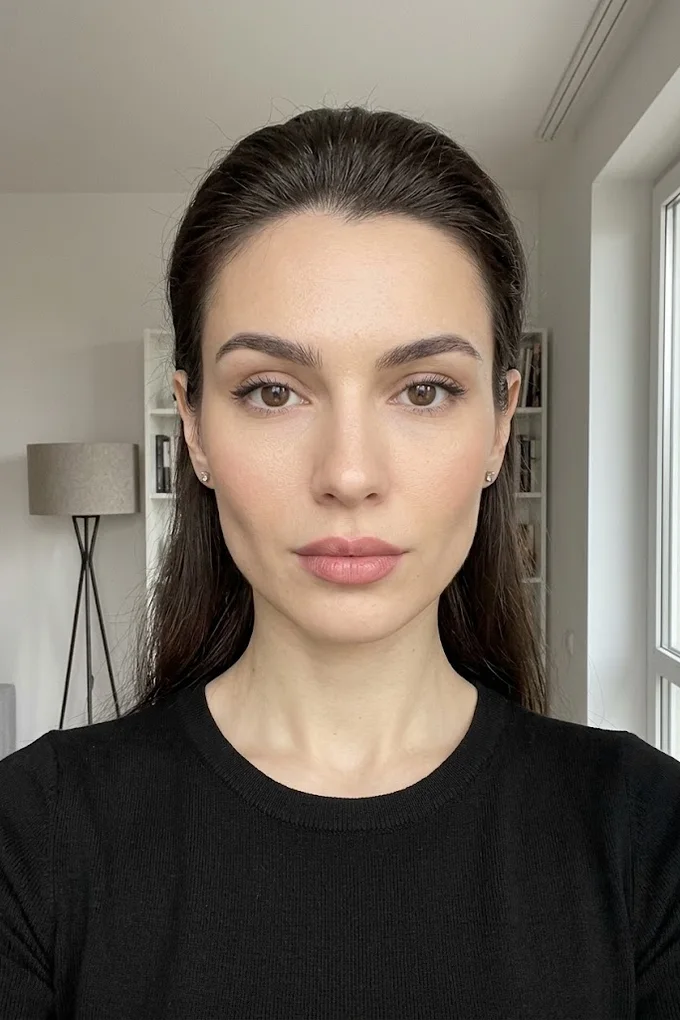
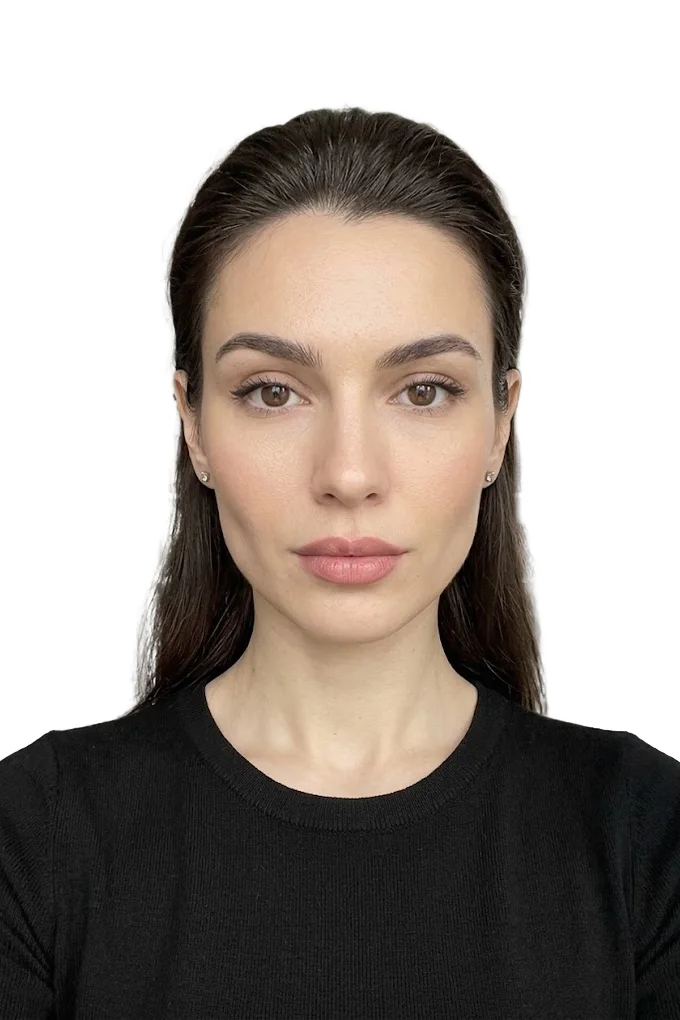 BeforeAfter⇆
- Bring back sharpness in the face and eyes
- Remove noise and artefacts without plasticising the skin
- Fix colour, contrast and a broken exposure
- Remove scratches, stains and creases from an old scan
- Return a file large enough to print
- Price per photo$10
- Turnaroundwithin 24 hours
- Deliveryto your email
- If we cannot do itmoney back
We will finish your photo by hand
A studio retoucher fixes what automation cannot: sharpness, face, colour, defects. Pay first, then simply send the photo and tell us what you need. If we cannot do it, you get your money back.
- Manual photo retouching$10
Immigrant visa interview: DS-260 and lottery selectees
If you get a green card from abroad, through a consulate, the photo requirements are set by the US Department of State. This is the route for DV Lottery selectees and for people who immigrate through family or employment. Here the photo is needed for the interview, and it is again a paper 2 by 2 inch square.
How many photos to bring to the immigrant visa interview
The Department of State requirements page says this about immigrant visas with Form DS-260: bring two identical photos to the interview. Each is 2 by 2 inches, 51 by 51 millimeters, printed on photo-quality paper. The same is said about DV Lottery selectees.
Two photos are needed by everyone who goes to the interview, including the spouse and children. A particular consulate may add conditions of its own, so read its interview instructions: they matter more than general advice.
What paper to print on
For a consular interview the Department of State asks for photo-quality paper and accepts both matte and glossy. For USCIS forms the wording is different: thin paper with a glossy finish. If you are not sure which route lies ahead, print on glossy photo paper: it fits both wordings.
A printout on office paper will not do in either case: it lacks the necessary sharpness, and the colors come out faded.
Recency: no older than six months
The picture has to be taken within the last six months and show how you look now. More than a year usually passes between a lottery entry and the interview, so the photo from the entry will be out of date by then. Do not print in advance: have a new picture taken once the date is set.
Glasses, headwear, clothing
- Glasses are not allowed in visa photos. The rare exception: they cannot be removed for medical reasons, and a doctor's statement confirms this.
- Headwear is allowed only if it is worn daily for religious reasons. The full face has to be visible, with no shadows.
- Headphones and headsets come off. A hearing aid may stay.
- Clothing is ordinary, everyday. Uniforms are not worn.
- The expression is neutral, both eyes open.
How the file for the DV Lottery entry differs
The lottery itself needs no paper photo: a file is uploaded to the form. The frame is the same, a square with the same head proportions, but pixels and file size are fixed: exactly 600 by 600 pixels, JPEG format, no more than 240 KB. If you have a 51 by 51 millimeter paper photo, you can scan it at 300 pixels per inch, and you get exactly 600 by 600.
The lottery also has strict rules of its own that do not exist at other stages. You may not submit the same picture as last year: under the program instructions that makes you ineligible for a visa. The file, the checks and the reasons for disqualification are covered in detail in the article on the green card lottery photo.
And if you need an ordinary US visa
For a tourist, student or work visa you fill in Form DS-160 and also upload a file. The frame is the same, while the pixel tolerance is wider: a square from 600 to 1200 pixels per side, JPEG up to 240 KB. Some consulates additionally ask you to bring one paper photo.
The 2 by 2 inch square is an American standard, and it is rare in other countries. Sizes for Schengen and other visas are collected in the article on visa photo sizes and requirements by country.
What happens if the photo is not accepted
Whether a picture is accepted is decided by the consulate or by USCIS. At an interview you are usually asked to bring a new photo, which means a delay rather than a refusal. USCIS may return the package or send a request, and processing will slip. In the lottery the stakes are higher: there an unusable picture can cost you the whole entry. So check the photo before you file at any stage.
Photos of children for the interview and the forms
Children need the same photographs as adults: a separate picture for each child, the same square, the same white background. Shared and group shots are not accepted, and there should be no adult hands, toys or pacifier in the frame.
A baby is easiest to photograph lying on a white sheet, shot from above with the phone held directly over the face. Take a series and choose the frame where the child looks at the camera and nothing covers the face. Children change quickly, so the rule about a recent picture matters for them in particular.
A short checklist before the interview
- Wait for the interview date and only then have a new picture taken.
- Read the instructions of your consulate: the number and kind of photos may be specified there.
- Print two identical 51 by 51 millimeter pictures for each family member and one more pair in reserve.
- Check the prints with a ruler and put them with the documents without bending them.
How to make and print a 2x2 inch photo
You can have this picture made at a studio or do it yourself. The do-it-yourself route has three steps: take a portrait against a white wall, bring the frame to a 2 by 2 inch square and print it at the exact size. Most mistakes happen at the third step.
How to take the portrait at home
- Stand about half a meter from a plain white or light wall so that your shadow does not fall on it.
- Shoot in daylight, facing a window. A ceiling lamp gives shadows under the eyes, a direct flash gives glare.
- Ask another person to take the picture with the main phone camera from one and a half to two meters, with the camera at eye level.
- Leave room around the head and shoulders: the frame still has to be cropped.
- Take off your glasses, move hair away from the face, look straight into the lens with a calm face.
- Turn off filters, portrait mode and face enhancement.
A detailed walk-through of light, background and distance is in the article on how to take a document photo at home with a phone.
How to bring the frame to a 2 by 2 inch square
Open the ID photo online tool and upload your picture. JPEG, PNG, WebP, HEIC and AVIF files up to 20 MB are accepted. In the list of formats pick the one for paper prints, US passport, Green Card, EAD (2x2 in print). It is meant for USCIS forms, the interview and the passport.
The tool crops the frame to a square, positions the head according to the format and saves a 600 by 600 pixel file. Printed at 300 pixels per inch that is exactly 2 inches per side. Processing and the preview are free, the finished file is paid.
If you need not a print but a file for an online form (the DV Lottery or Form DS-160), pick the US visa (DS-160) / Green Card format in the same list: it has the same square, but the file size is limited to 240 KB.
What the tool does not do
It does not change the face: it does not retouch skin, adjust features or draw in clothing. Its job is the frame, the margins, the background and the file size. The background is set by software, and USCIS asks for unretouched pictures, so for that agency's forms it is especially important to shoot against a real white wall. Then the background is right in the original.
You download a single picture, not a print sheet. Processing is automatic and does not guarantee that a consulate or USCIS will accept the photo: the decision always rests with the agency. Pictures generated or noticeably altered by AI are not suitable for documents.
How to print exactly 51 by 51 millimeters
- At a photo lab name the exact size: 2 by 2 inches, 51 by 51 millimeters. A request for 5 by 5 cm may be understood as exactly 50 millimeters.
- Order the required number of prints from one file: the photos have to be identical.
- If you print on a larger sheet, turn off fit to page and fill frame. These modes stretch the image and change the head size.
- Choose glossy photo paper of ordinary weight, with no borders or captions.
- Cut exactly along the edge of the square, preferably with a trimmer rather than scissors.
How to check the print with a ruler
A finished print can be checked in a minute. You need an ordinary ruler with millimeters.
- Side of the square: 51 millimeters in width and in height.
- Head from the top of the hair to the bottom of the chin: 25 to 35 millimeters.
- From the bottom edge to the eye line: roughly 29 to 35 millimeters.
- The background is even, with no shadows or bands. The face is sharp, the skin color natural.
If the head came out smaller or larger than the standard, the cause is almost always the print settings, not the file. Check the scale and print again.
What to say at a photo studio
Name the format like this: a US visa photo, 2 by 2 inches, 51 by 51 millimeters, white background, no glasses, no retouching. Say how many prints you need and also ask for the digital file: it will come in handy if you later need more prints or have to upload the photo to an online form.
Mention retouching separately. Studios often smooth the skin out of habit, while for these documents the picture has to stay the way the camera took it.
If you need both a file and prints
This happens often: a file goes into an online form, and paper pictures are needed at the interview or in the USCIS package. You do not need a separate shoot for each case if less than six months have passed between filings. Take one good original portrait and prepare two versions from it: a file within the size limit and a picture for printing.
There is one exception: the DV Lottery. The picture from an entry may not be submitted again the following year, and by the interview it is usually older than six months. Plan a new shoot for every new step on the lottery route.
How many prints to order
- Form I-485 only: two pictures per person.
- I-485 together with I-765: four pictures per person.
- Immigrant visa interview: two pictures per person.
- In any case add two spares: a print is easy to crease or smudge, and getting an identical one printed the same day is not always possible.
Keep the spare pictures in an envelope, in a dry place and for no longer than half a year: after that they no longer count as recent.
Frequently asked questions
What size is a green card photo? 2 by 2 inches, which is 51 by 51 millimeters. Outside the United States it is often called a 5 by 5 centimeter photo. The size is the same for the DV Lottery, the immigrant visa interview and USCIS forms.
Will my photo end up on the green card itself? No. Since December 12, 2025 USCIS does not use photos submitted by the applicant: the portrait for the card is taken at the biometrics appointment. The two 2 by 2 inch prints required by the I-485 instructions still go into the package. The DV Lottery, Form DS-160, the consular interview and a US passport need your own photo.
How many photos does Form I-485 need? Two identical color passport-style photographs. Under the form instructions they are printed on thin glossy paper, unmounted and unretouched, with your name and A-Number, if any, on the back.
How many photos do I bring to the immigrant visa interview? Two identical 51 by 51 millimeter photos per applicant, printed on photo paper and taken within the last six months. Check the instructions of your consulate for any additional conditions.
Do I need photos for a work permit on Form I-765? Yes. The Form I-765 instructions ask for two identical 2 by 2 inch photographs under the same rules as for I-485. If you file both forms together, prepare two pairs.
Can I wear glasses in the photo? For visa photos the Department of State bans glasses, apart from rare medical cases with a doctor's statement. The USCIS instructions do not mention glasses, but the photo is called passport-style, so it is better to take them off.
Will the same photo work for the DV Lottery? The frame will, but the lottery needs not a print but a JPEG file of exactly 600 by 600 pixels and up to 240 KB, no older than six months and not the one used in last year's entry.
Can I take a green card photo at home with a phone? Yes, if you shoot the portrait against a real white wall in even light, with no filters or retouching, crop the frame to a square and print it at exactly 2 by 2 inches on glossy photo paper.
We will edit a sample from your catalog for free
For online stores, manufacturers, brands and wholesale suppliers. Send 1-3 product photos and we will return them professionally edited, with a price quote for your whole catalog.
This is a b2b, volume format. We do not process personal photos (portraits, events, documents) here.
Request received
We will edit your sample and send the result with a catalog quote within one business day.