UK passport digital photo
UK passport digital photo
Upload a portrait and get a digital photo for the online passport application on GOV.UK: a vertical frame well above 600 by 750 pixels, within the file weight limit. You see the result in a free preview.
How to make a UK passport digital photo
- Ask another person to photograph you in front of a real plain light wall, far enough to show your head, shoulders and upper body.
- Upload the file or shoot with the camera. The frame for the online application is preselected, it is listed as "United Kingdom: passport (online application)".
- The tool sets the vertical frame, a white background and a JPEG of 900x1125 pixels of up to 5 MB.
- Look at the before and after shots in the free preview and read the line with the pixel size and the maximum file weight.
- Download the clean file without a watermark and keep the original shot too, in case the application asks for an uncropped picture.
Digital photo for the online application
GOV.UK sets these rules for a photo you upload when you apply for or renew a passport online.
- At least 600 pixels wide and 750 pixels tall.
- At least 50 KB and no more than 10 MB.
- Clear, in focus and in colour.
- A plain light-coloured background that contrasts with you.
- Taken in the last month.
- Your head, shoulders and upper body are in the frame.
- No other people and no objects in the picture.
The page does not name a file format. The tool saves a JPEG.
Do not crop: what to do about it
GOV.UK asks you not to crop the photo yourself, because the application service does it. The "United Kingdom: passport (online application)" format frames the picture and keeps it far above the minimum of 600 by 750 pixels. If the service does not take that file, upload your original shot instead: this is why the last step tells you to keep it. A phone picture is nearly always heavier than 50 KB and lighter than 10 MB, so the original usually fits the weight limit as it is.
Glasses, head coverings and face
- Take your glasses off if you can. If you need them, the lenses must not be dark or tinted, and the frames, glare and shadows must not cover your eyes.
- A head covering is accepted only for religious or medical reasons.
- Face the camera with a plain expression. The guidance for photographers does not accept a mirrored image, so switch off the mirror mode of a front camera.
Printed photo for a paper form: 45x35 mm
- Two identical prints, 45 mm high by 35 mm wide.
- The head measures 29 to 34 mm from the crown to the chin.
- The background is plain cream or plain light grey.
- Plain white photographic paper with no border, in colour, of professional quality.
- The print must not be a cut down version of a larger picture.
For a paper form pick "United Kingdom: passport and driving licence (printed photo)" in the list: it gives the 35x45 mm frame on a light grey background. The Passport Office guidance says that photos printed at home are usually not sharp enough, so order the two prints from a photo lab.
Do not want to fiddle with it? Hand the photo to a retoucher
Automation does not fix everything: a difficult frame, a photo that matters, an old print off a scanner. Where the algorithm gives up, a person works the picture layer by layer in Photoshop, by hand.
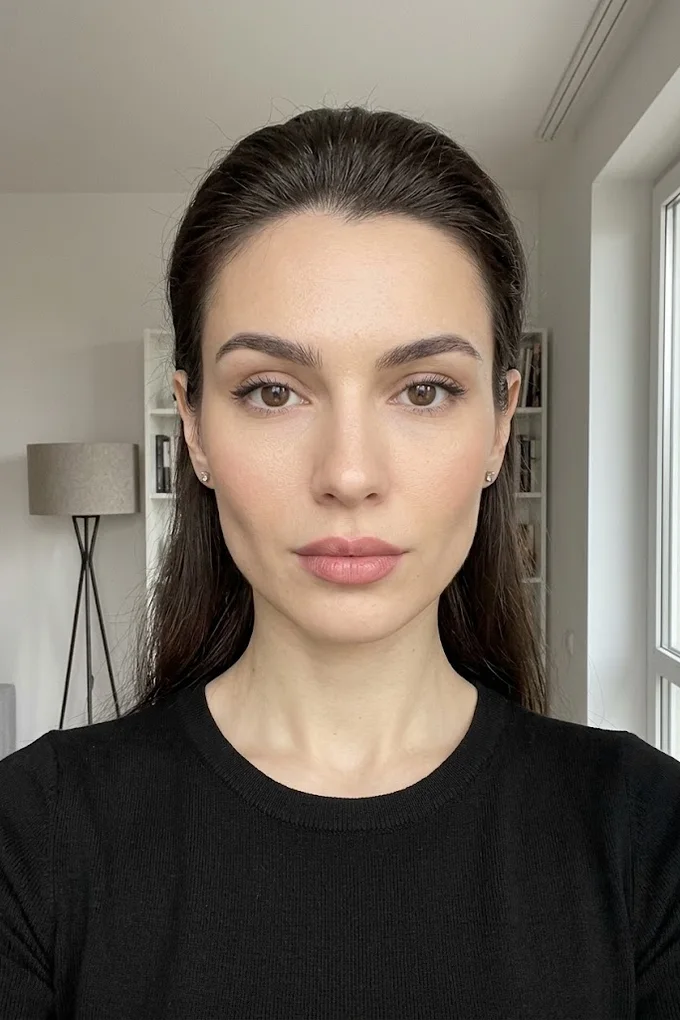
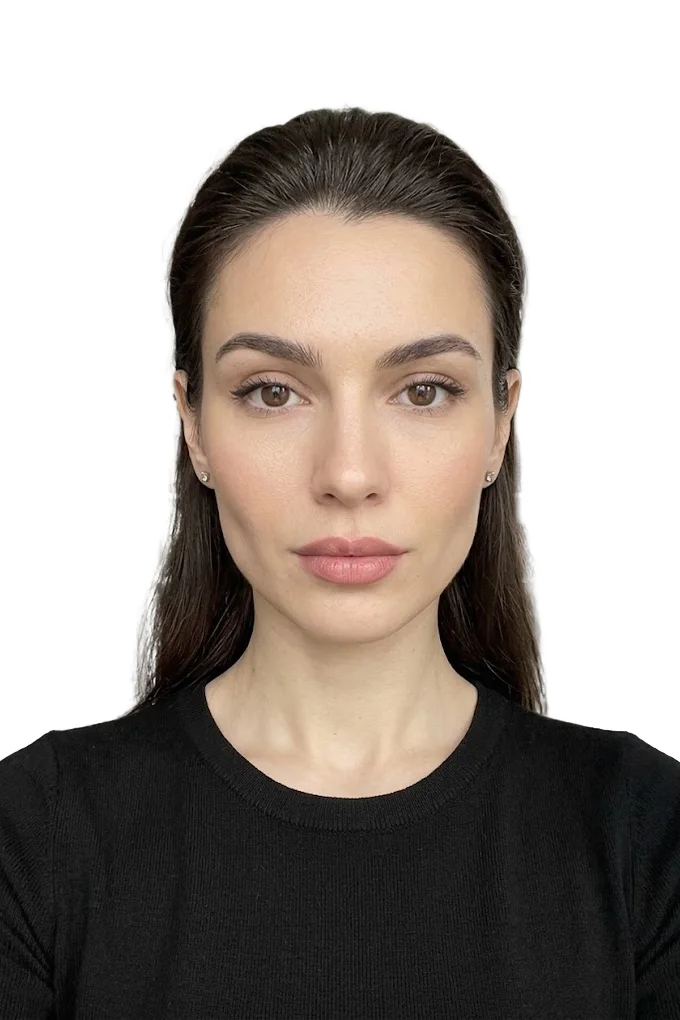 BeforeAfter⇆
- Bring back sharpness in the face and eyes
- Remove noise and artefacts without plasticising the skin
- Fix colour, contrast and a broken exposure
- Remove scratches, stains and creases from an old scan
- Return a file large enough to print
- Price per photo$10
- Turnaroundwithin 24 hours
- Deliveryto your email
- If we cannot do itmoney back
We will finish your photo by hand
A studio retoucher fixes what automation cannot: sharpness, face, colour, defects. Pay first, then simply send the photo and tell us what you need. If we cannot do it, you get your money back.
- Manual photo retouching$10
Unaltered by computer software
This is the wording of GOV.UK. The guidance for photographers adds detail: blemishes must not be removed, lines and shadows must not be softened, and digital enhancement is not acceptable. A background replaced by software is an alteration too. So make the wall do the work: a real plain light wall, daylight from the front, no shadow behind you. The tool does not retouch the face and does not redraw clothes. Processing is automatic and acceptance of the photo by HM Passport Office is not guaranteed.
UK passport photo and UK visa photo are not the same file
For visas and immigration permissions UKVI asks for a JPG or JPEG held vertically, at least 600 by 750 pixels, between 50 KB and 6 MB. The passport service takes up to 10 MB. A passport file heavier than 6 MB will not go into a visa form, so check the weight if you reuse the photo.
UK passport digital photo questions
What size is a UK passport digital photo? At least 600 pixels wide and 750 pixels tall, with a file weight between 50 KB and 10 MB. The format on this page gives 900x1125 pixels of up to 5 MB.
Can I take a UK passport photo with my phone? Yes, for the online application. Stand in front of a plain light wall, ask another person to take the picture and make sure your head, shoulders and upper body are in the frame.
What background colour does a UK passport photo need? A digital photo needs a plain light-coloured background that contrasts with you. A printed photo for a paper form needs plain cream or plain light grey.
How recent must the photo be? It must be taken in the last month.
Can I crop the photo myself? GOV.UK asks you not to, the service crops it. Keep your original shot and upload it if the framed file is not accepted.
Can I wear glasses in a UK passport photo? It is better to take them off. If you need them, they must not be sunglasses or tinted, and the frames, glare and shadows must not cover your eyes.
Can I print this file for a paper application? For a paper form pick "United Kingdom: passport and driving licence (printed photo)" instead: it gives the 35x45 mm frame on a light grey background. A paper form needs two 45x35 mm prints of professional quality on cream or light grey, so order them from a photo lab.
Will a photo with an edited background be accepted? GOV.UK asks for a photo unaltered by computer software, so do not count on it. Shoot against a real plain light wall and use the tool for the frame and the file size.
How much does it cost? Processing and the preview with a watermark are free. The clean file without a watermark is a small paid extra.
We will edit a sample from your catalog for free
For online stores, manufacturers, brands and wholesale suppliers. Send 1-3 product photos and we will return them professionally edited, with a price quote for your whole catalog.
This is a b2b, volume format. We do not process personal photos (portraits, events, documents) here.
Request received
We will edit your sample and send the result with a catalog quote within one business day.